特定のWeb APIに関するBaselineの状況を提供するModel Context Protocolサーバー
{
"mcpServers": {
"baseline-mcp-server": {
"command": "<see-readme>",
"args": []
}
}
}No install config available. Check the server's README for setup instructions.
Are you the author?
Add this badge to your README to show your security score and help users find safe servers.
特定のWeb APIに関するBaselineの状況を提供するModel Context Protocolサーバー
Is it safe?
No package registry to scan.
No authentication — any process on your machine can connect.
MIT. View license →
Is it maintained?
Last commit 21 days ago. 36 stars.
Will it work with my client?
Transport: stdio. Works with Claude Desktop, Cursor, Claude Code, and most MCP clients.
No automated test available for this server. Check the GitHub README for setup instructions.
No known vulnerabilities.
This server is missing a description. Tools and install config are also missing.If you've used it, help the community.
Add informationHave you used this server?
Share your experience — it helps other developers decide.
Sign in to write a review.
Dynamic problem-solving through sequential thought chains
A Model Context Protocol server for searching and analyzing arXiv papers
An open-source AI agent that brings the power of Gemini directly into your terminal.
The official Python SDK for Model Context Protocol servers and clients
MCP Security Weekly
Get CVE alerts and security updates for Baseline Mcp Server and similar servers.
Start a conversation
Ask a question, share a tip, or report an issue.
Sign in to join the discussion.
Web Platform APIのサポート状況を提供するModel Context Protocolサーバーです。
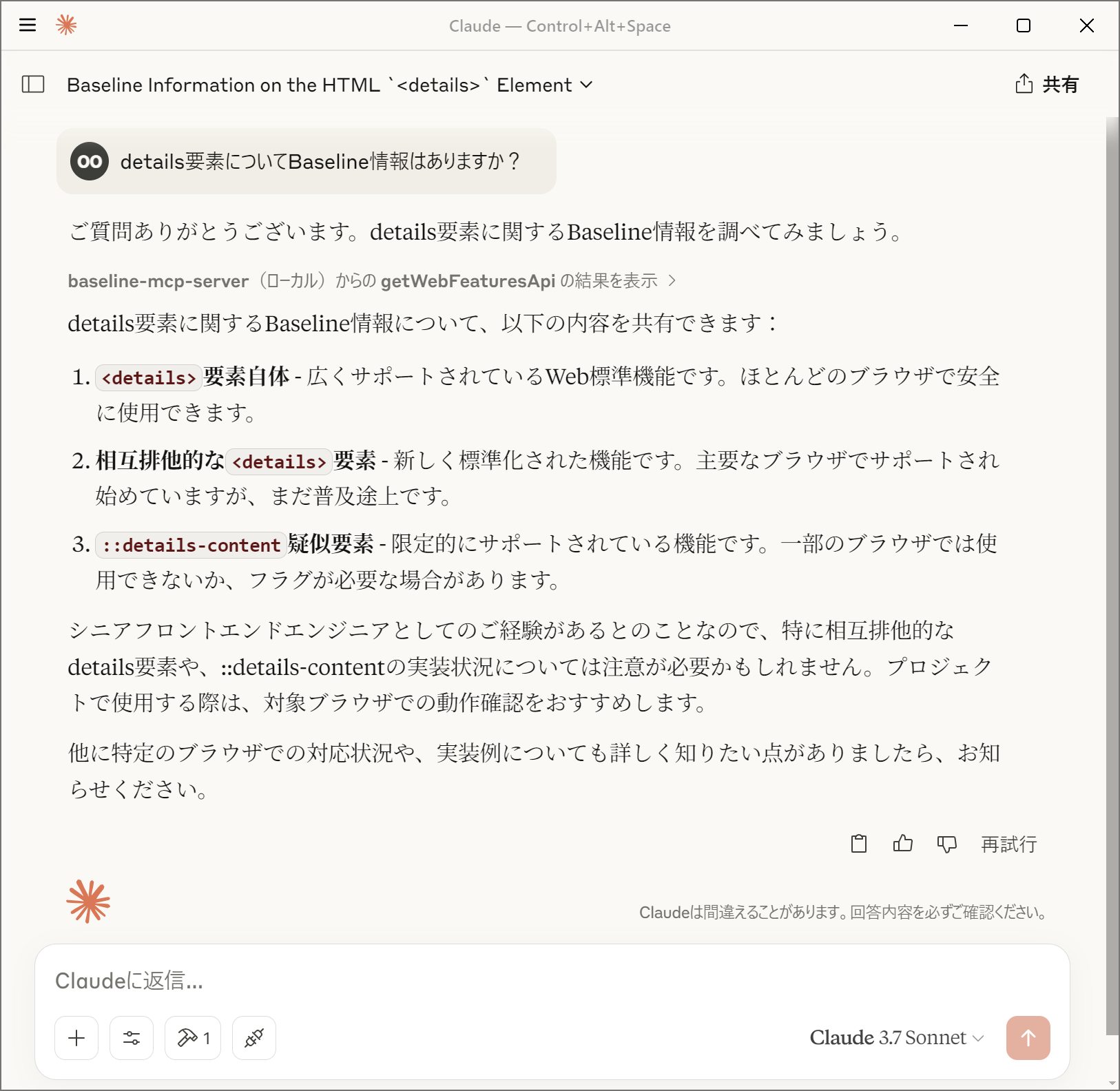
このサーバーは、Web Platform DashboardのAPIを使用して、WebのAPI機能のBaselineステータス(サポート状況)を取得できるMCPサーバーを実装しています。クエリに基づいてWeb機能の情報を取得し、その結果をMCPクライアントに返します。

widely、newly、limited、no_data)の提供chrome, edge, firefox, safari)Baselineステータスは、Web機能のブラウザサポート状況を示します:
Baselineについての詳細については「Baseline (互換性) - MDN Web Docs 用語集」を参照してください。
api.webstatus.devのみのアクセスを許可してください@yamanoku/baseline-mcp-serverを指定するか、お手元のローカル環境にbaseline-mcp-server.tsを設置して読み取るように設定してくださいClaude
DesktopのMCPクライアントで使用するには、以下のようにcline_mcp_settings.jsonに設定を追加します。
{
"mcpServers": {
"baseline-mcp-server": {
"command": "deno",
"args": [
"run",
"--allow-net=api.webstatus.dev",
"jsr:@yamanoku/baseline-mcp-server"
]
}
}
}
Visual Studio
CodeのMCPクライアントで使用するには、以下のようにsettings.jsonに設定を追加します。
{
"mcp": {
"servers": {
"baseline-mcp-server": {
"command": "deno",
"args": [
"run",
"--allow-net=api.webstatus.dev",
"jsr:@yamanoku/baseline-mcp-server"
]
}
}
}
}
最初にDockerイメージをビルドします。
docker build -t baseline-mcp-server .
MCPクライアントの設定でDockerコンテナを実行するようにします。
{
"mcpServers": {
"baseline-mcp-server": {
"command": "docker",
"args": [
"run",
"-i",
"baseline-mcp-server:latest"
]
}
}
}
このOSSはGPT-4o Image Generationによってロゴを製作、Claude 3.7 Sonnetによって実装、ドキュメントのサンプルを提案いただきました。感謝申し上げます。