Chat Plus
English | 简体中文

Adapter-driven MCP orchestration for AI chat websites.
Chat Plus connects web chat UIs to MCP servers and Skills, reinjects system instructions when needed,
executes tool workflows in a controlled sandbox, and continues the same conversation with the result.
Overview •
Getting Started •
Site Adapters •
Code Mode •
Development
Overview
Chat Plus is a browser extension for AI chat websites. It sits between the page, the extension runtime, and your MCP servers so a model can discover tools, call them, and continue the same conversation with the tool output.
The project is intentionally adapter-driven. Instead of baking host-specific logic into the extension core, Chat Plus uses one JavaScript adapter script per host. Each adapter is defined by one required meta block plus four required hooks: transformRequest, extractResponse, decorateBubbles, and continueConversation.
Here is a typical in-page usage view on a supported chat site, showing Code Mode cards and tool-result feedback rendered directly inside the conversation:
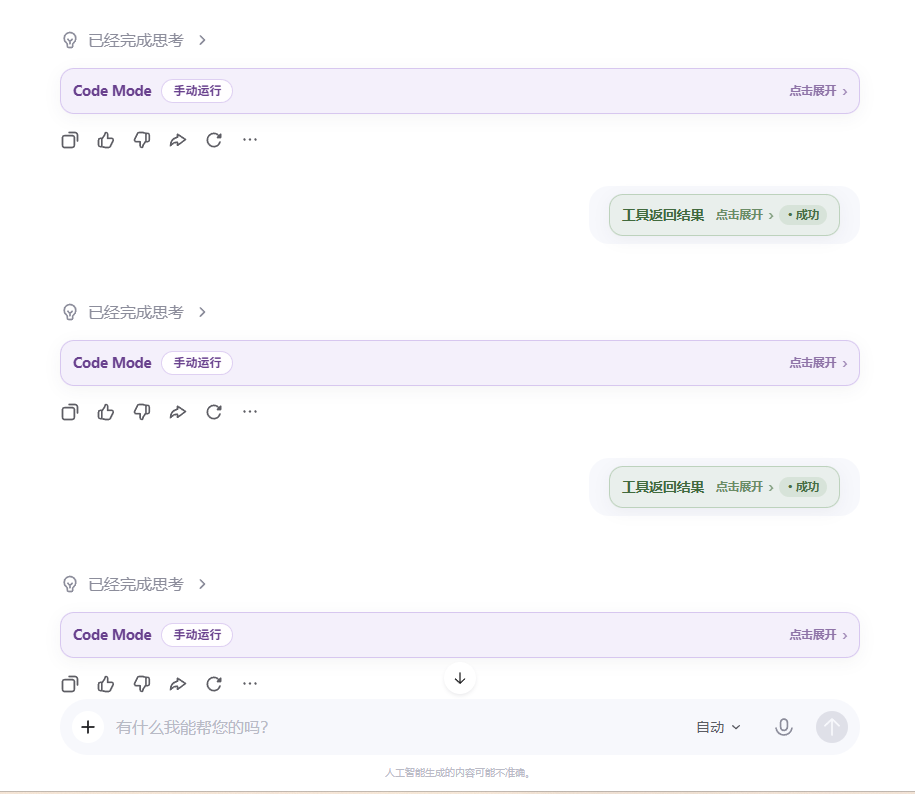
Example UI: Code Mode execution blocks and tool return status inside the chat conversation.
[!IMPORTANT]
Chat Plus only works on tabs that have a valid site adapter. Site support lives in adapter scripts, not in the extension core.
[!IMPORTANT]
Chat Plus connects remote SSE and Streamable HTTP MCP endpoints directly. If your tools or SKILL.md workflows only exist locally, expose them through MCP-Gateway first.
Why Chat Plus
- Adapter-first site support: one script per host, using a fixed four-hook contract.
- Per-tab orchestration: enable the extension, presets, servers, and tools independently for each page.
- MCP-native execution: discover tools from remote MCP servers and expose them as a structured runtime the model can use.
- Automatic continuation: after a tool run finishes, Chat Plus can send the result automatically or only fill the composer for review.
- System prompt reinjection: re-apply resolved system instructions when conversation length or URL changes require it.
- Sandboxed execution: adapters and Code Mode run in isolated environments instead of directly in the page context.
How It Works
At a high level, Chat Plus watches a supported chat page, injects instructions into outgoing requests, extracts assistant output from incoming responses, and reacts when the model emits a Chat Plus protocol block or Code Mode block.
The important part is that Chat Plus does not treat MCP as a one-shot transport call. It first discovers tool interfaces from enabled MCP servers, normalizes them into a manifest, injects the full enabled tools.* directory with short descriptions, and keeps toolDocs.describe(ref) available for per-tool detail lookup. The model can then write small orchestration code that calls multiple tools, inspects intermediate results, reshapes output, and returns a cleaner final result to the conversation.
flowchart LR
    A["AI Chat Website"] --> B["Chat Plus Content Runtime"]
    B --> C["Enabled MCP Servers"]
    C --> D["Tool Discovery"]
    D --> E["Code Mode Manifest<br/>aliases + schemas"]
    E --> F["Sandbox Runtime"]
    F --> G["AI emits JavaScript<br/>tool calls"]
    G --> H["Sandbox bridge"]
    H --> I["Background MCP Client"]
    I --> J["MCP Transport<br/>SSE / Streama

... [View full README on GitHub](https://github.com/aiguicai/Chat-Plus#readme)


