LLM based AI Agent to automate Data Analysis for dbt projects with remote MCP server
{
"mcpServers": {
"dbt-llm-agent": {
"command": "<see-readme>",
"args": []
}
}
}No install config available. Check the server's README for setup instructions.
Are you the author?
Add this badge to your README to show your security score and help users find safe servers.
LLM based AI Agent to automate Data Analysis for dbt projects with remote MCP server
Is it safe?
No package registry to scan.
No authentication — any process on your machine can connect.
MIT. View license →
Is it maintained?
Last commit 7 days ago. 169 stars.
Will it work with my client?
Transport: stdio. Works with Claude Desktop, Cursor, Claude Code, and most MCP clients.
No automated test available for this server. Check the GitHub README for setup instructions.
No known vulnerabilities.
This server is missing a description. Tools and install config are also missing.If you've used it, help the community.
Add informationHave you used this server?
Share your experience — it helps other developers decide.
Sign in to write a review.
Manage Supabase projects — databases, auth, storage, and edge functions
Dynamic problem-solving through sequential thought chains
A Model Context Protocol server for searching and analyzing arXiv papers
Query and manage PostgreSQL databases directly from AI assistants
MCP Security Weekly
Get CVE alerts and security updates for Dbt Llm Agent and similar servers.
Start a conversation
Ask a question, share a tip, or report an issue.
Sign in to join the discussion.
Ragstar is in public βeta. Expect rapid changes and occasional rough edges.
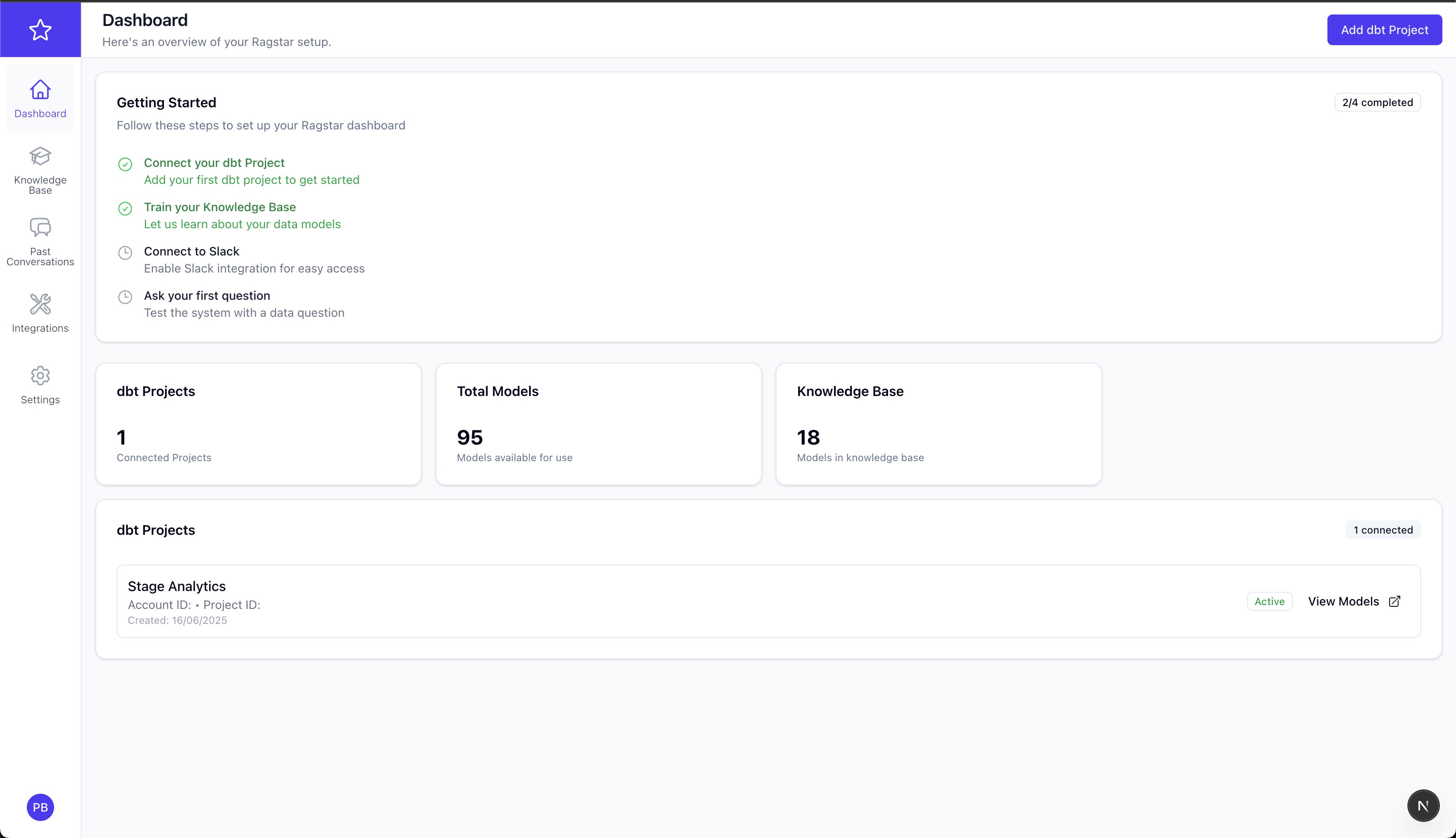
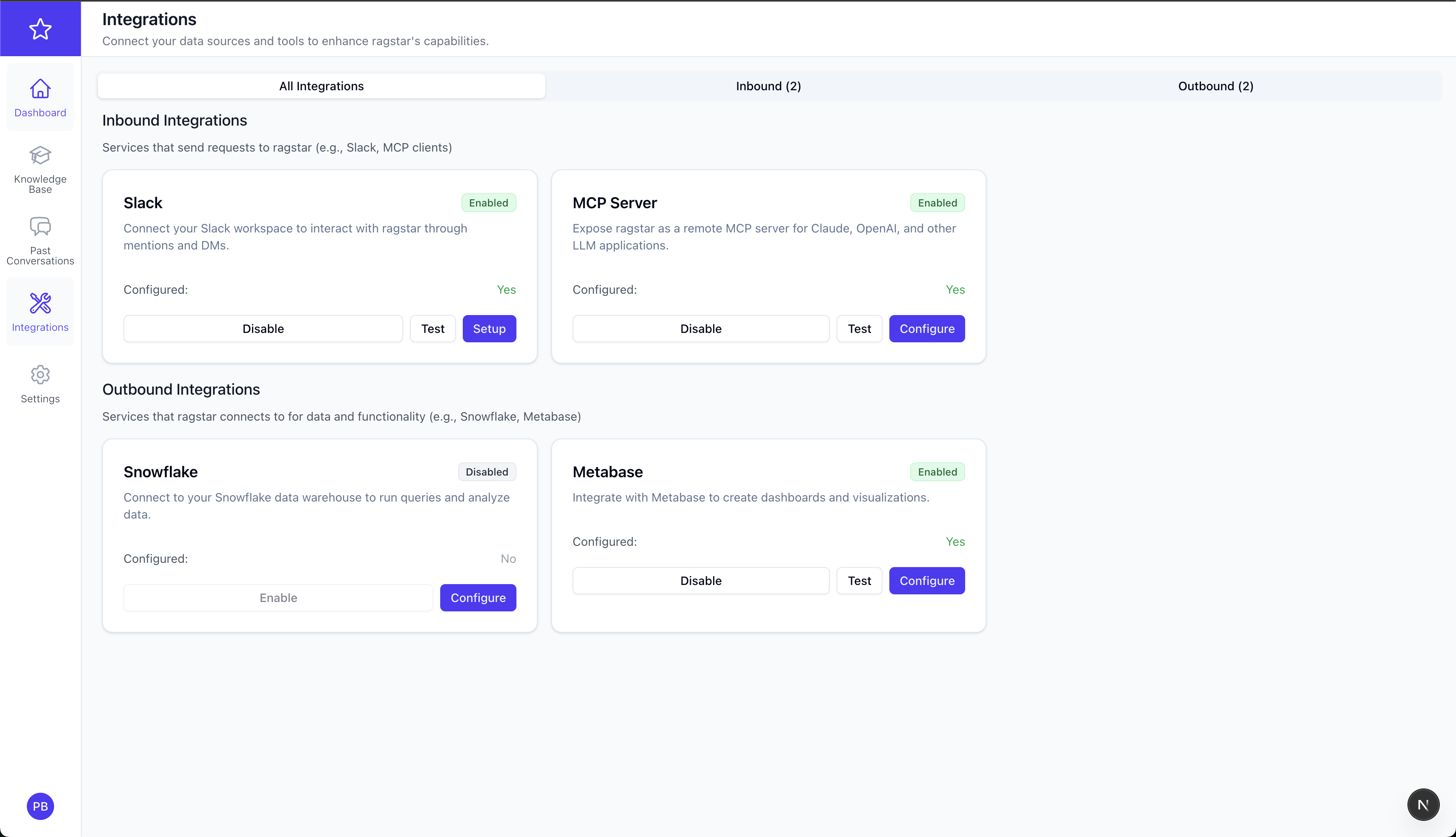
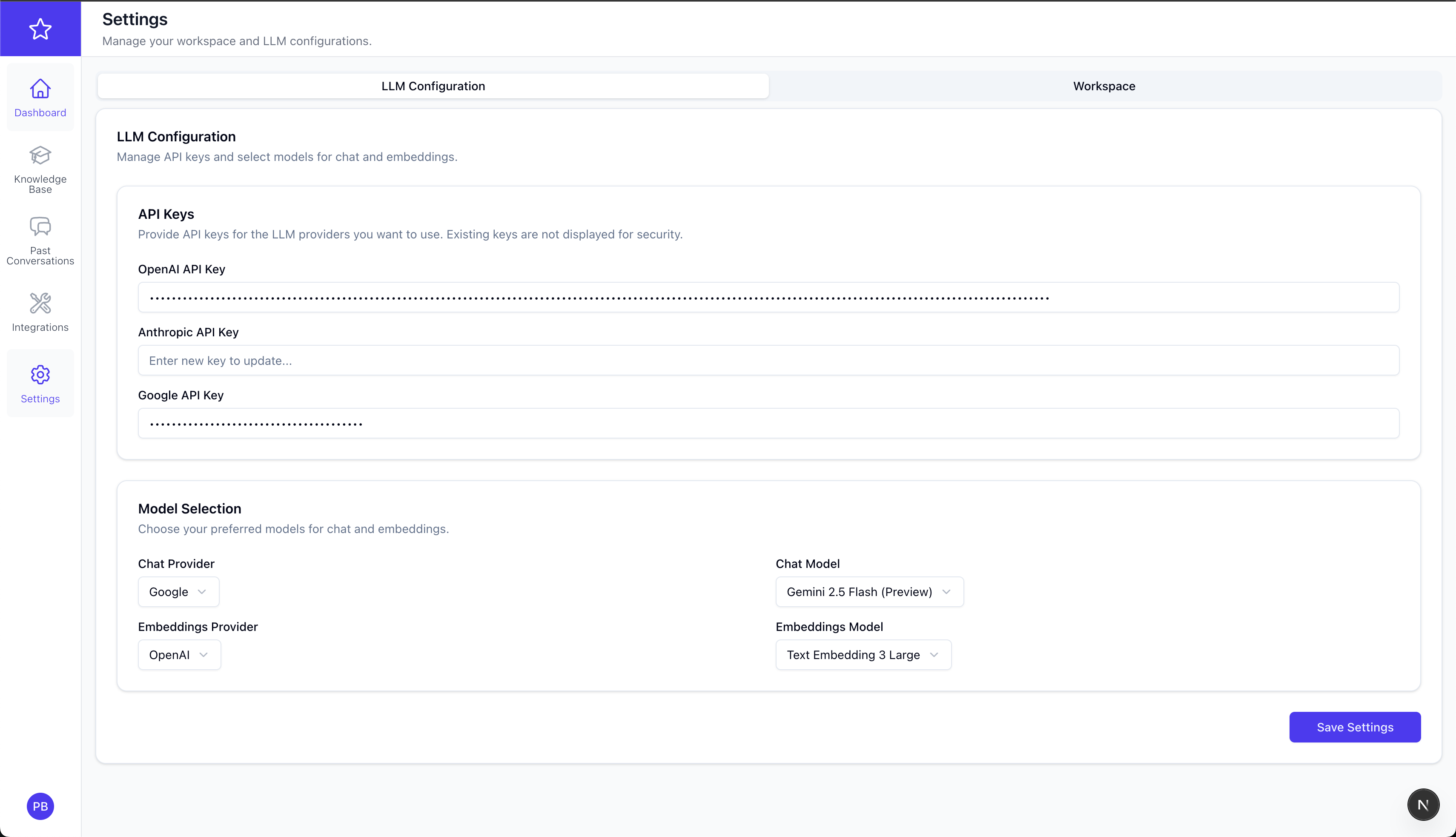
Ragstar connects to your dbt project, builds a knowledge base from models & documentation, and lets everyone ask data-related questions in plain English via a beautiful web dashboard or Slack. Under the hood Ragstar combines:
pgvector for fast similarity search


# ① clone & prepare env file
$ git clone https://github.com/pragunbhutani/ragstar.git && cd ragstar
$ cp .env.example .env && ${EDITOR:-vi} .env # ⇒ edit just the vars shown below
# ② build & run everything
$ docker compose up --build -d
When the containers are healthy:
Run first-time Django tasks:
# inside the running backend container
$ docker compose exec backend-django \
uv run python manage.py migrate
🎉 That's it — open http://localhost:3000, sign up for a new account and you're ready to start using Ragstar.
Only a handful of variables are truly required for a local/dev install. The rest are advanced overrides.
Ragstar keeps the default stack as lightweight as possible.
For a local docker compose run you only need 3 variables – everything else has sane fall-backs.
| Var | Example | Purpose |
| --------------------- | ------------------------- | ---------------------------------------------------- |
| NEXTAUTH_SECRET | openssl rand -base64 32 | Secret used by next-auth to sign session cookies |
| NEXTAUTH_URL | http://localhost:3000 | Public URL where the frontend is reachable |
| NEXT_PUBLIC_API_URL | http://localhost:8000 | Public URL of the Django API exposed to the browser |
Create a .env file in the repo root and paste the three lines above (adjust URLs if you changed the ports).
| Var | Default | When you might set it |
| ------------------------------------------------------------------ | ---------------------------- | ------------------------------------------------------------------------------------------------------ |
| INTERNAL_API_URL | http://backend-django:8000 | Only needed when the frontend talks to the backend across Docker networks or remote hosts. |
| ENVIRONMENT | local | Switch between local, development, production behaviour inside Django settings. |
| APP_HOST | — | Extra hostname to append to Django ALLOWED_HOSTS & CORS lists, e.g. your public Ngrok / Vercel host. |
| DATABASE_URL