a MCP server which integrates reasoning capabilities of DeepSeek R1 model into claude desktop app.
{
"mcpServers": {
"deepseek-claude-mcp-server": {
"command": "<see-readme>",
"args": []
}
}
}No install config available. Check the server's README for setup instructions.
Are you the author?
Add this badge to your README to show your security score and help users find safe servers.
a MCP server which integrates reasoning capabilities of DeepSeek R1 model into claude desktop app.
Is it safe?
No package registry to scan.
No authentication — any process on your machine can connect.
MIT. View license →
Is it maintained?
Last commit 435 days ago. 51 stars.
Will it work with my client?
Transport: stdio. Works with Claude Desktop, Cursor, Claude Code, and most MCP clients.
No automated test available for this server. Check the GitHub README for setup instructions.
No known vulnerabilities.
This server is missing a description. Tools and install config are also missing.If you've used it, help the community.
Add informationHave you used this server?
Share your experience — it helps other developers decide.
Sign in to write a review.
Dynamic problem-solving through sequential thought chains
A Model Context Protocol server for searching and analyzing arXiv papers
An open-source AI agent that brings the power of Gemini directly into your terminal.
The official Python SDK for Model Context Protocol servers and clients
MCP Security Weekly
Get CVE alerts and security updates for Deepseek Claude MCP Server and similar servers.
Start a conversation
Ask a question, share a tip, or report an issue.
Sign in to join the discussion.
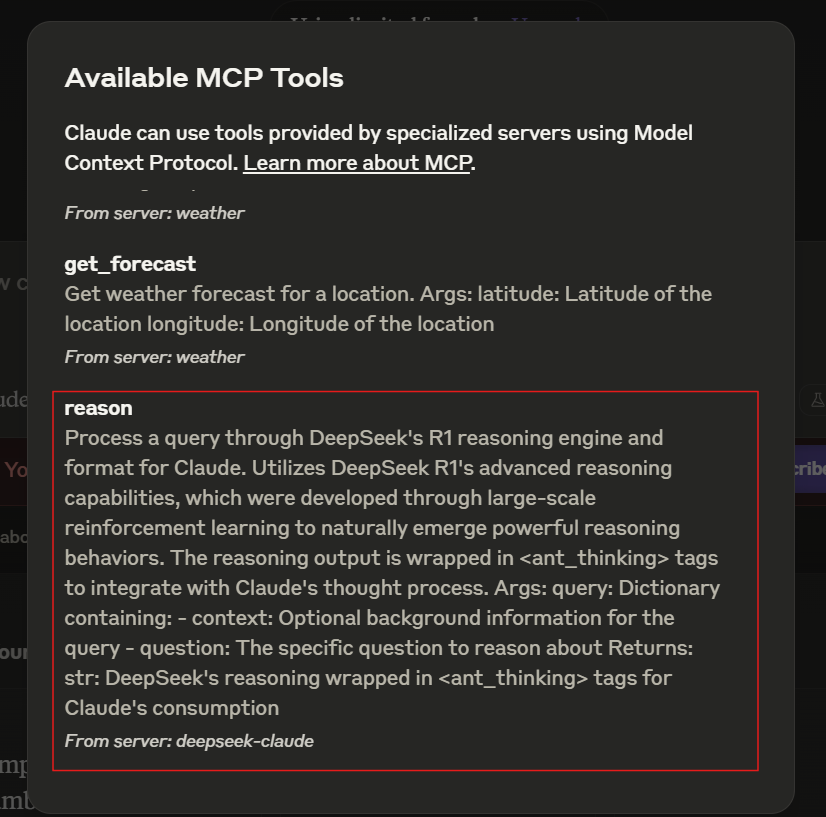
Enhance Claude's reasoning capabilities with the integration of DeepSeek R1's advanced reasoning engine. This server enables Claude to tackle complex reasoning tasks by leveraging the reasoning capabilites of deepseek r1 model.
To install DeepSeek-Claude for Claude Desktop automatically via Smithery:
npx -y @smithery/cli install @HarshJ23/deepseek-claude-MCP-server --client claude
uv package managerClone the Repository
git clone https://github.com/harshj23/deepseek-claude-MCP-server.git
cd deepseek-claude-MCP-server
Ensure UV is Set Up
powershell -ExecutionPolicy ByPass -c "irm https://astral.sh/uv/install.ps1 | iex"
curl -LsSf https://astral.sh/uv/install.sh | sh
Create Virtual Environment
uv venv
source .venv/bin/activate
Install Dependencies
uv add "mcp[cli]" httpx
Set Up API Key
Obtain your api key from here : https://platform.deepseek.com/api_keys
Configure MCP Server
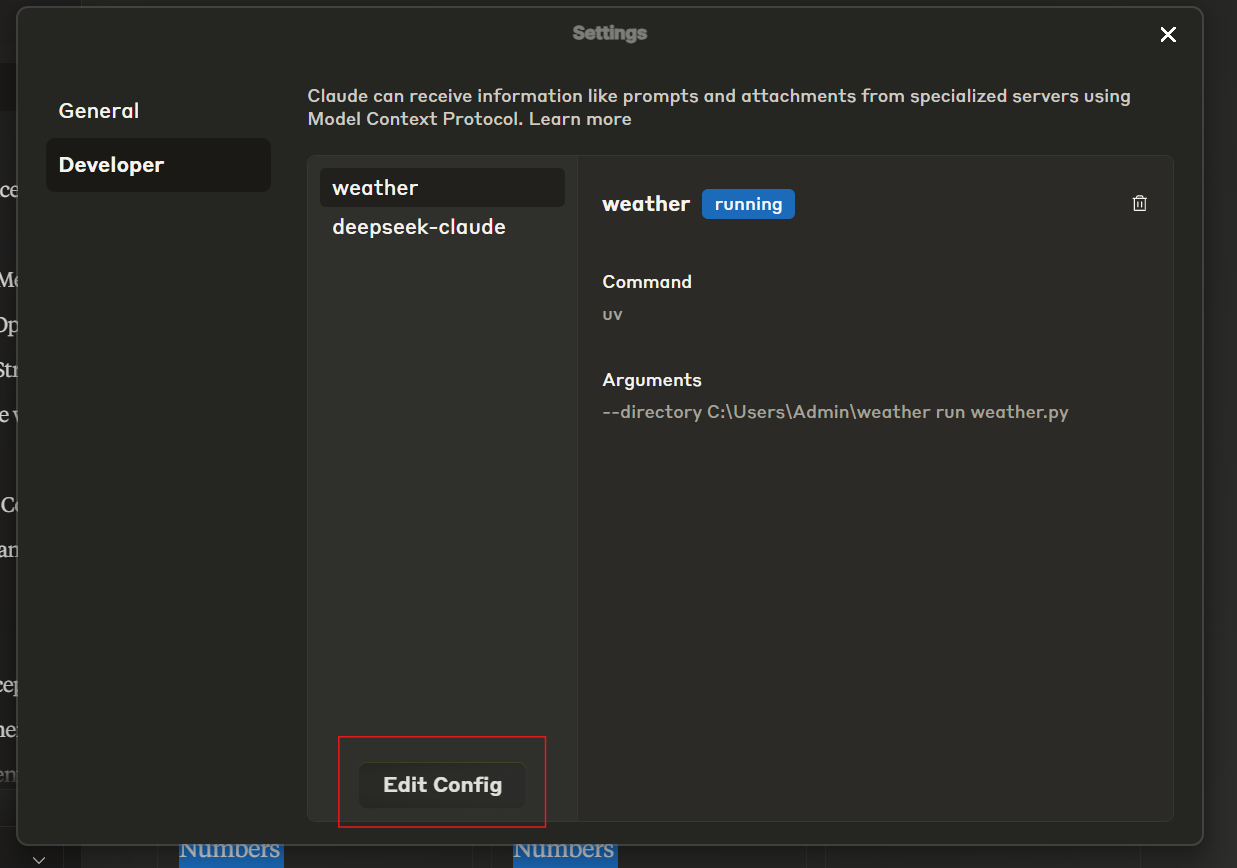
Edit the claude_desktop_config.json file to include the following configuration:

{
"mcpServers": {
"deepseek-claude": {
"command": "uv",
"args": [
"--directory",
"C:\\ABSOLUTE\\PATH\\TO\\PARENT\\FOLDER\\deepseek-claude",
"run",
"server.py"
]
}
}
}
Run the Server
uv run server.py
Test Setup
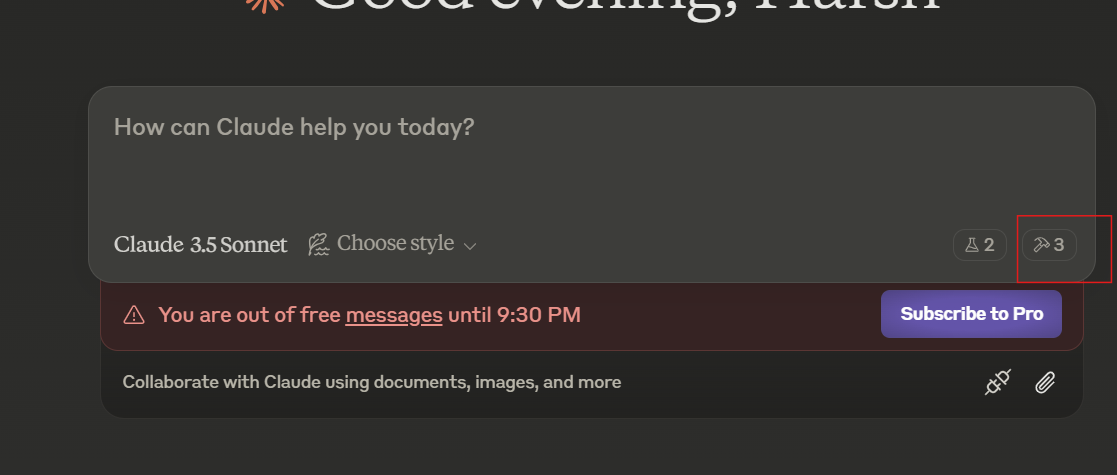
Verify the tools icon is visible in the interface.

If the server isn’t visible, consult the troubleshooting guide.
The server automatically starts when used with Claude Desktop. Ensure Claude Desktop is configured to detect the MCP server.
<ant_thinking> tags.This project is licensed under the MIT License. See the LICENSE file for details.