MCP Server for Emacs


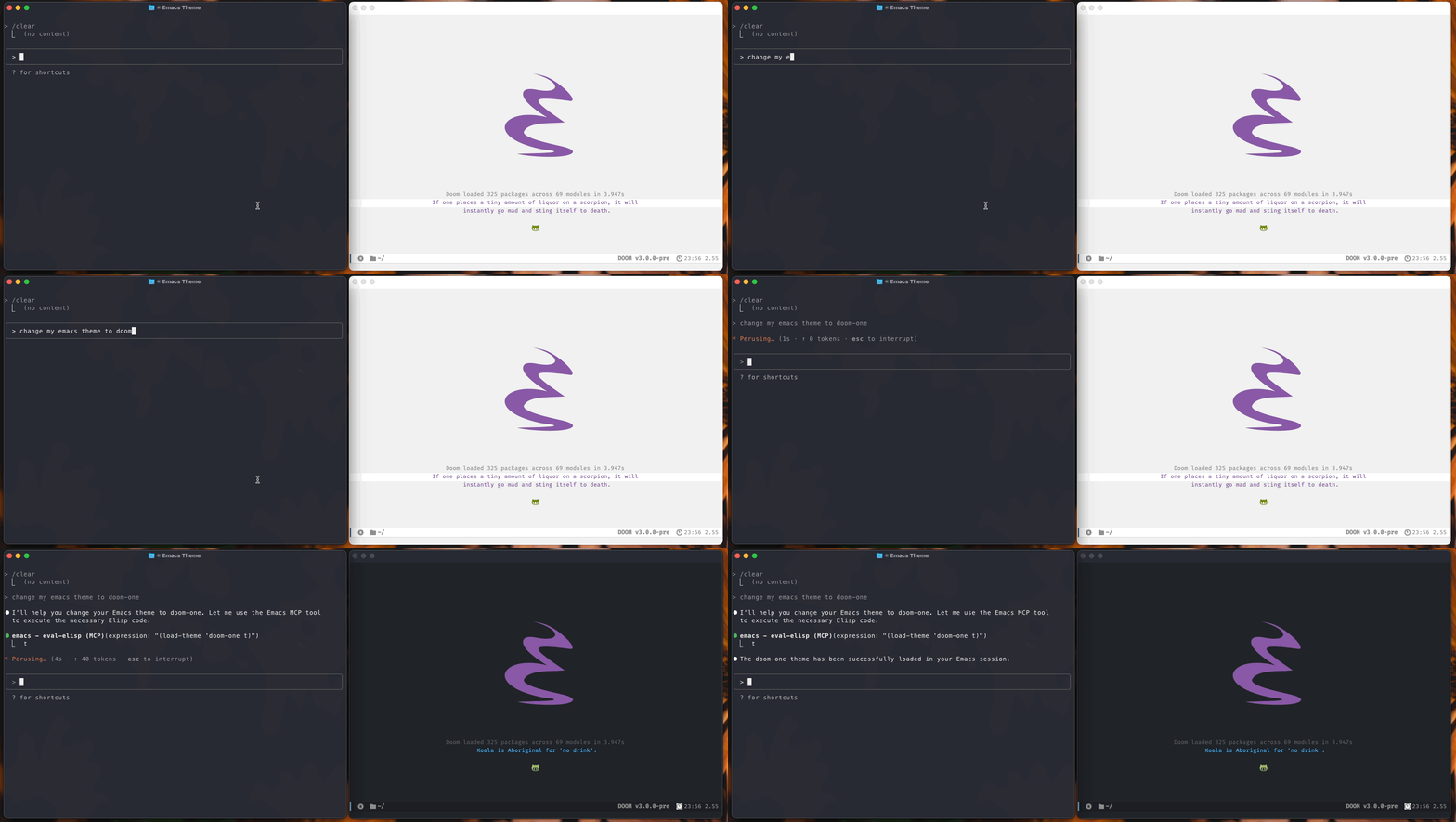
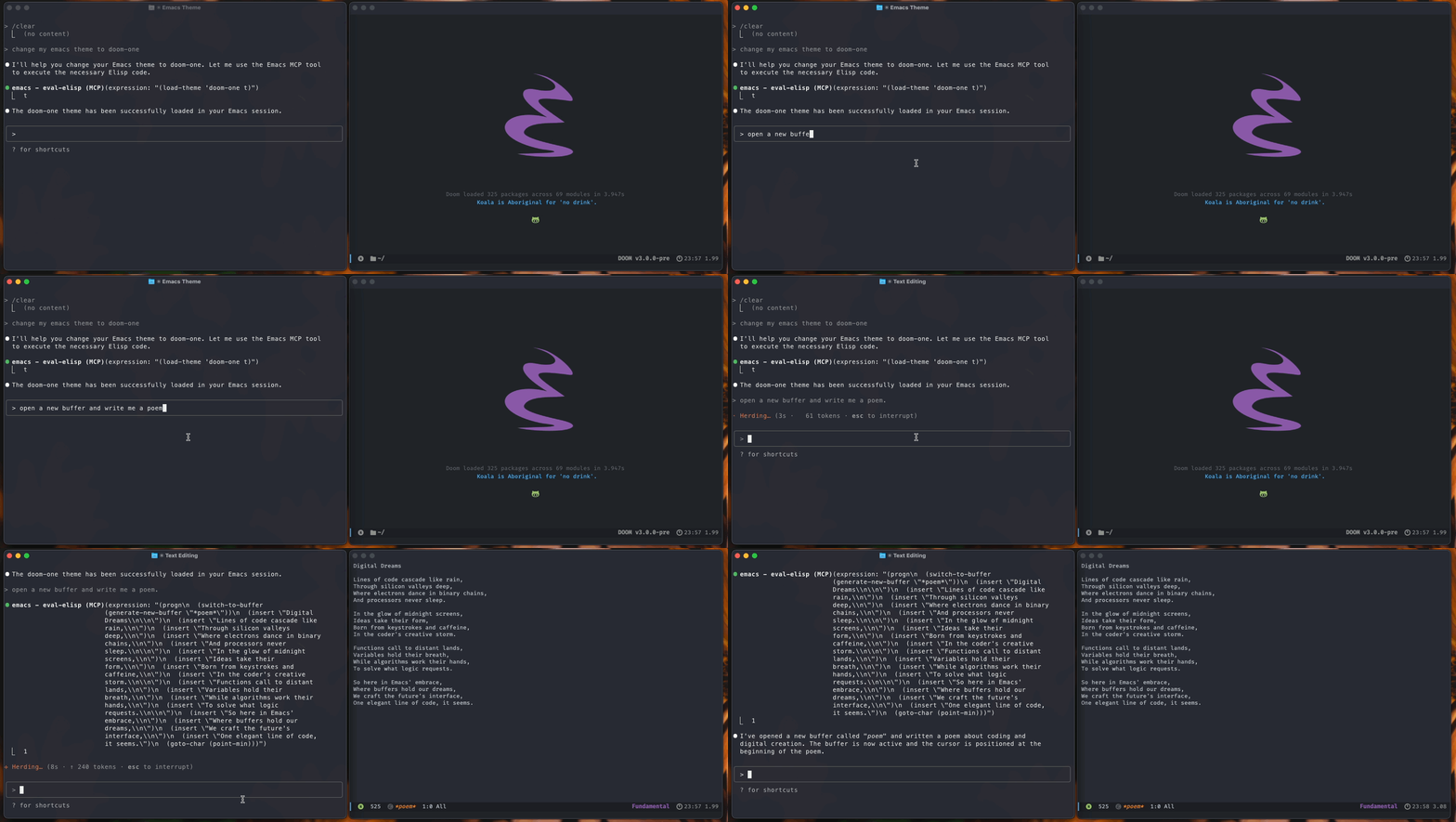
Connect Large Language Models directly to your Emacs environment! This MCP (Model Context Protocol) server exposes Emacs functionality through standardized tools,
allowing LLMs like Claude to read and modify your buffers, execute elisp code, navigate files, and much more.
Quick Start
Installation: Place the files in your Emacs configuration directory and add to your config:
(add-to-list 'load-path "~/path-to/mcp-server")
(require 'mcp-server)
Alternatively, use package managers:
;; Using straight.el
(use-package mcp-server
  :straight (:type git :host github :repo "rhblind/emacs-mcp-server"
             :files ("*.el" "tools/*.el" "mcp-wrapper.py" "mcp-wrapper.sh"))
  :config
  (add-hook 'emacs-startup-hook #'mcp-server-start-unix))

;; Using use-package with manual path
(use-package mcp-server
  :load-path "~/path-to/mcp-server"
  :config
  (add-hook 'emacs-startup-hook #'mcp-server-start-unix))

;; Using Doom Emacs package! macro
(package! mcp-server
  :recipe (:type git :host github :repo "rhblind/emacs-mcp-server"
           :files ("*.el" "tools/*.el" "mcp-wrapper.py" "mcp-wrapper.sh")))
Start the server: Run M-x mcp-server-start-unix in Emacs. The server creates a Unix socket at ~/.config/emacs/.local/cache/emacs-mcp-server.sock.
Connect Claude Desktop: Add this to your Claude Desktop configuration:
[!NOTE]
Make sure you have socat installed!
{
  "mcpServers": {
    "emacs": {
      "command": "socat",
      "args": ["-", "UNIX-CONNECT:~/.config/emacs/.local/cache/emacs-mcp-server.sock"],
      "transport": "stdio"
    }
  }
}
Connect Claude CLI
claude mcp add emacs ~/path-to/mcp-wrapper.py ~/.config/emacs/.local/cache/emacs-mcp-server.sock           # Uses the python script
claude mcp add emacs ~/path-to/mcp-wrapper.sh ~/.config/emacs/.local/cache/emacs-mcp-server.sock           # Uses the bash script
claude mcp add emacs-direct -- socat - UNIX-CONNECT:$HOME/.config/emacs/.local/cache/emacs-mcp-server.sock # Uses socat directly

# Real world, add to user scope so it's always available
claude mcp add emacs --scope user ~/.config/emacs/.local/straight/build-30.1/mcp-server/mcp-wrapper.py ~/.config/emacs/.local/cache/emacs-mcp-server.sock
That's it! Claude can now interact with your Emacs session.
What LLMs Can Do
Once connected, LLMs can perform powerful operations in your Emacs environment:
Code and Text Manipulation
- Read and write any buffer - get content from files, scratch buffers, terminals
- Execute elisp code - run any Emacs Lisp expression safely
- Navigate and edit - move cursor, insert text, select regions
- Manage files - open, save, create new files and buffers
Emacs Integration
- Run interactive commands - execute any
M-x command programmatically
- Access variables - read and modify Emacs configuration and state
- Window management - get layout information, manage splits
- Major mode operations - work with mode-specific functionality
Available Tools
eval-elisp - Execute arbitrary elisp expressions safely and return the resultget-diagnostics - Get flycheck/flymake diagnostics from project buffers
get-diagnostics
Retrieves errors and warnings from flycheck or flymake (auto-detected per buffer) across all project buffers. Results are grouped by file and sorted by severity.
*Parameters:
... View full README on GitHub