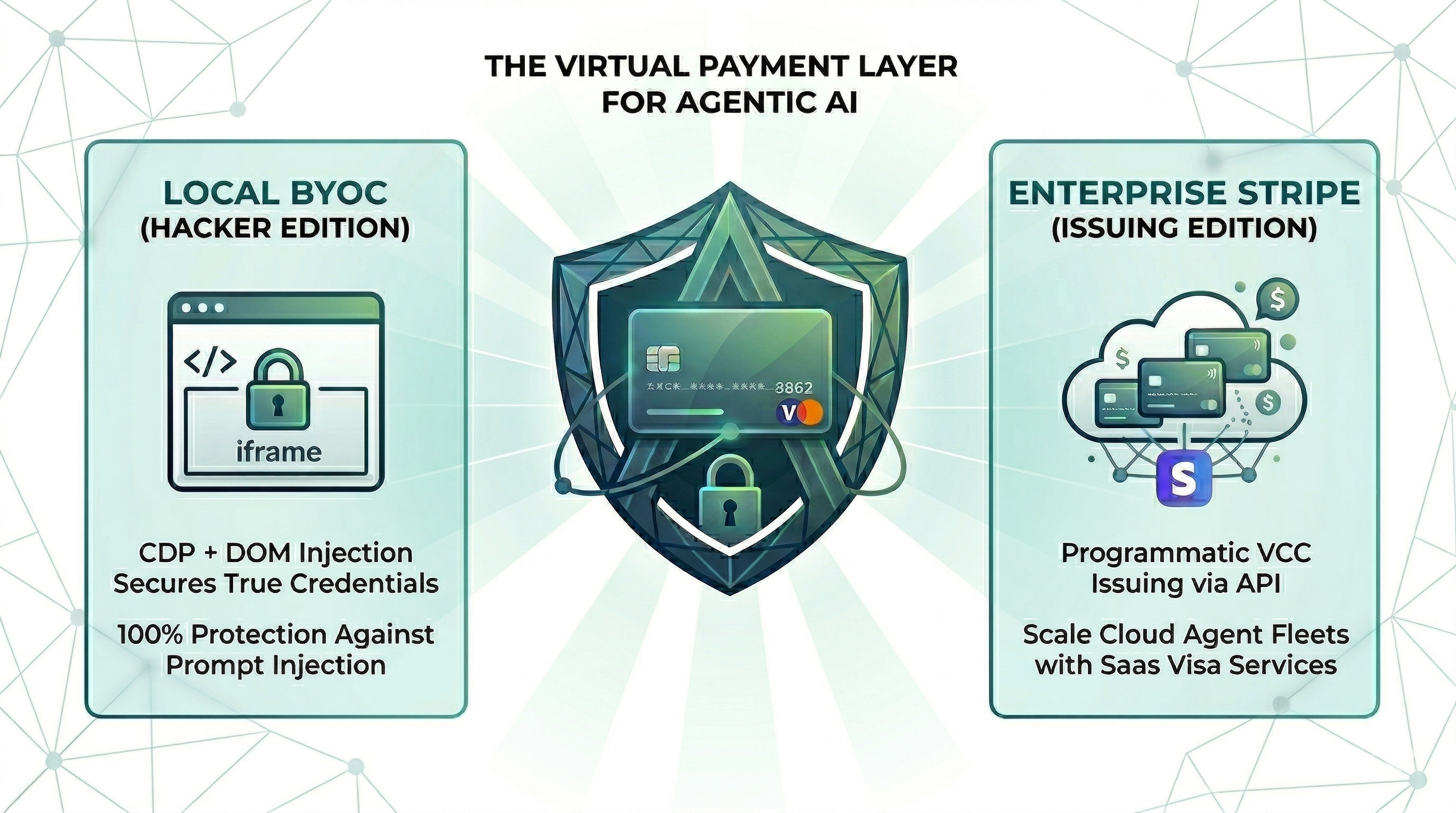
Stop AI agents leaking your card or making hallucinated purchases. No SaaS, no login, fully local.
{
"mcpServers": {
"io-github-100xpercent-pop-pay": {
"command": "<see-readme>",
"args": []
}
}
}No install config available. Check the server's README for setup instructions.
Are you the author?
Add this badge to your README to show your security score and help users find safe servers.
Stop AI agents leaking your card or making hallucinated purchases. No SaaS, no login, fully local.
Is it safe?
No package registry to scan.
No authentication — any process on your machine can connect.
License not specified.
Is it maintained?
Commit history unknown.
Will it work with my client?
Transport: stdio. Works with Claude Desktop, Cursor, Claude Code, and most MCP clients.
No automated test available for this server. Check the GitHub README for setup instructions.
No known vulnerabilities.
This server is missing a description. Tools and install config are also missing.If you've used it, help the community.
Add informationHave you used this server?
Share your experience — it helps other developers decide.
Sign in to write a review.
A Model Context Protocol (MCP) server and CLI that provides tools for agent use when working on iOS and macOS projects.
Dynamic problem-solving through sequential thought chains
A Model Context Protocol server for searching and analyzing arXiv papers
The Apify MCP server enables your AI agents to extract data from social media, search engines, maps, e-commerce sites, or any other website using thousands of ready-made scrapers, crawlers, and automation tools available on the Apify Store.
MCP Security Weekly
Get CVE alerts and security updates for io.github.100xPercent/pop-pay and similar servers.
Start a conversation
Ask a question, share a tip, or report an issue.
Sign in to join the discussion.
it only takes 0.1% of Hallucination to drain 100% of your wallet.
The runtime security layer for AI agent commerce. Card credentials are injected directly into the browser DOM via CDP — they never enter the agent's context window. One hallucinated prompt can't drain a wallet it can't see.
npx -y pop-pay pop-init-vault
This encrypts your card credentials into ~/.config/pop-pay/vault.enc (AES-256-GCM). The MCP server decrypts automatically at startup.
For stronger protection (recommended — blocks agents with shell access):
npx -y pop-pay pop-init-vault --passphrase # one-time setup
npx -y pop-pay pop-unlock # run once before each session
Standard config for any MCP-compatible client:
{
"mcpServers": {
"pop-pay": {
"command": "npx",
"args": ["-y", "pop-pay", "launch-mcp"],
"env": {
"POP_CDP_URL": "http://localhost:9222"
}
}
}
}
Claude Code uses its own CLI — the JSON config above is not needed.
claude mcp add --scope user pop-pay -- npx -y pop-pay launch-mcp
--scope user makes it available across all projects. To remove: claude mcp remove pop-pay
Add the JSON config above to:
~/.cursor/mcp.json~/.codeium/windsurf/mcp_config.json.vscode/mcp.json in project rootOpenClaw has its own CLI — the JSON config above is not needed.
openclaw mcp add pop-pay -- npx -y pop-pay launch-mcp
Or add to ~/.openclaw/mcp_servers.json using the JSON config above.
For System Prompt templates and Nem