memex
Persistent memory for AI coding agents. Your agent remembers what it learned across sessions.
English | 中文 | 日本語 | 한국어 | Español
English
Every time your AI agent finishes a task, it saves insights as atomic knowledge cards with [[bidirectional links]]. Next session, it recalls relevant cards before starting work — building on what it already knows instead of starting from scratch.
No vector database, no embeddings — just markdown files your agent (and you) can read.
Supported platforms
| Platform | Integration | Experience |
|----------|------------|------------|
| Claude Code | Plugin (hooks + skills) | Best — auto-recall, slash commands, SessionStart hook |
| VS Code / Copilot | MCP Server | 10 MCP tools, zero config |
| Cursor | MCP Server | 10 MCP tools, zero config |
| Codex | MCP Server | 10 MCP tools, zero config |
| Windsurf | MCP Server | 10 MCP tools, zero config |
| Pi | Extension (custom tools + hooks) | 8 tools, auto-recall hook, slash commands |
| Any MCP client | MCP Server | 10 MCP tools, zero config |
All platforms share the same ~/.memex/cards/ directory. A card written in Claude Code is instantly available in Cursor, Codex, or any other client.
Prerequisites
- VS Code / Copilot: No prerequisites — the extension bundles everything
- Claude Code: No prerequisites — the plugin handles everything
- Pi: Requires Node.js 18+ and
npm install -g @touchskyer/memex
- All other platforms (Cursor, Codex, Windsurf, etc.): Requires Node.js 18+
Install
Step 1: Add memex to your editor
| Platform | Command |
|----------|---------|
| VS Code / Copilot | Search "memex" in VS Code Extensions — install and done, no extra setup |
| Claude Code | /plugin marketplace add iamtouchskyer/memex then /plugin install memex@memex |
| Cursor | First npm install -g @touchskyer/memex, then one-click install |
| Codex | npm install -g @touchskyer/memex && codex mcp add memex -- memex mcp |
| Pi | npm install -g @touchskyer/memex && pi install npm:@touchskyer/memex |
| Windsurf / others | npm install -g @touchskyer/memex, then add MCP server: command memex, args ["mcp"] |
That's it — no extra setup needed. The MCP tool descriptions tell your agent when to recall and retro.
Upgrade
| Platform | How |
|----------|-----|
| VS Code / Copilot | Extension auto-updates from marketplace |
| Claude Code | /plugin uninstall memex then /plugin install memex@memex |
| Pi | npm update -g @touchskyer/memex and re-copy pi-extension/index.ts |
| Cursor / Codex / Windsurf | npm update -g @touchskyer/memex |
Cross-platform sharing
All clients read and write the same ~/.memex/cards/ directory. Sync across devices with git:
Prerequisite: Auto-create requires GitHub CLI (gh auth login). Or pass your own repo URL to skip this.
memex sync --init                # auto-creates private memex-cards repo on GitHub
memex sync --init <repo-url>     # or specify your own repo URL (no gh CLI needed)
memex sync on                    # enable auto-sync after every write
memex sync                       # manual sync
memex sync off                   # disable auto-sync
Browse your memory
memex serve
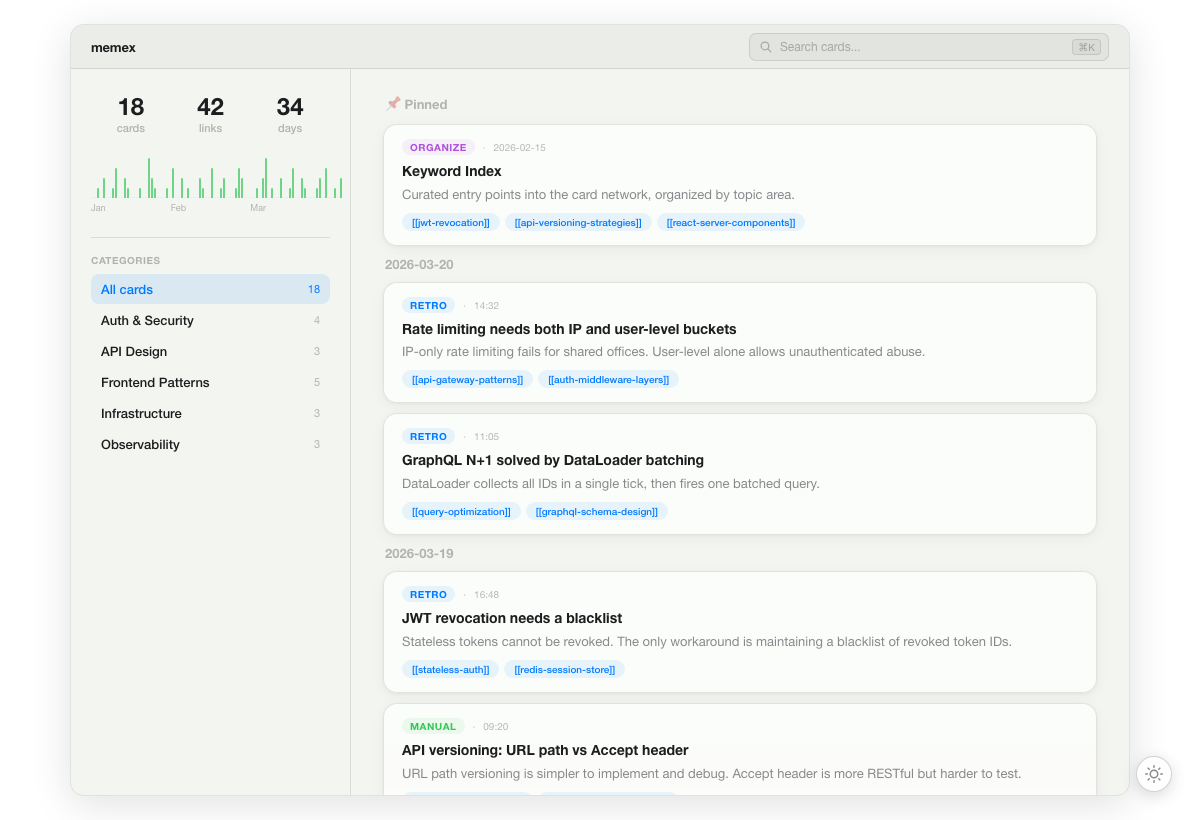
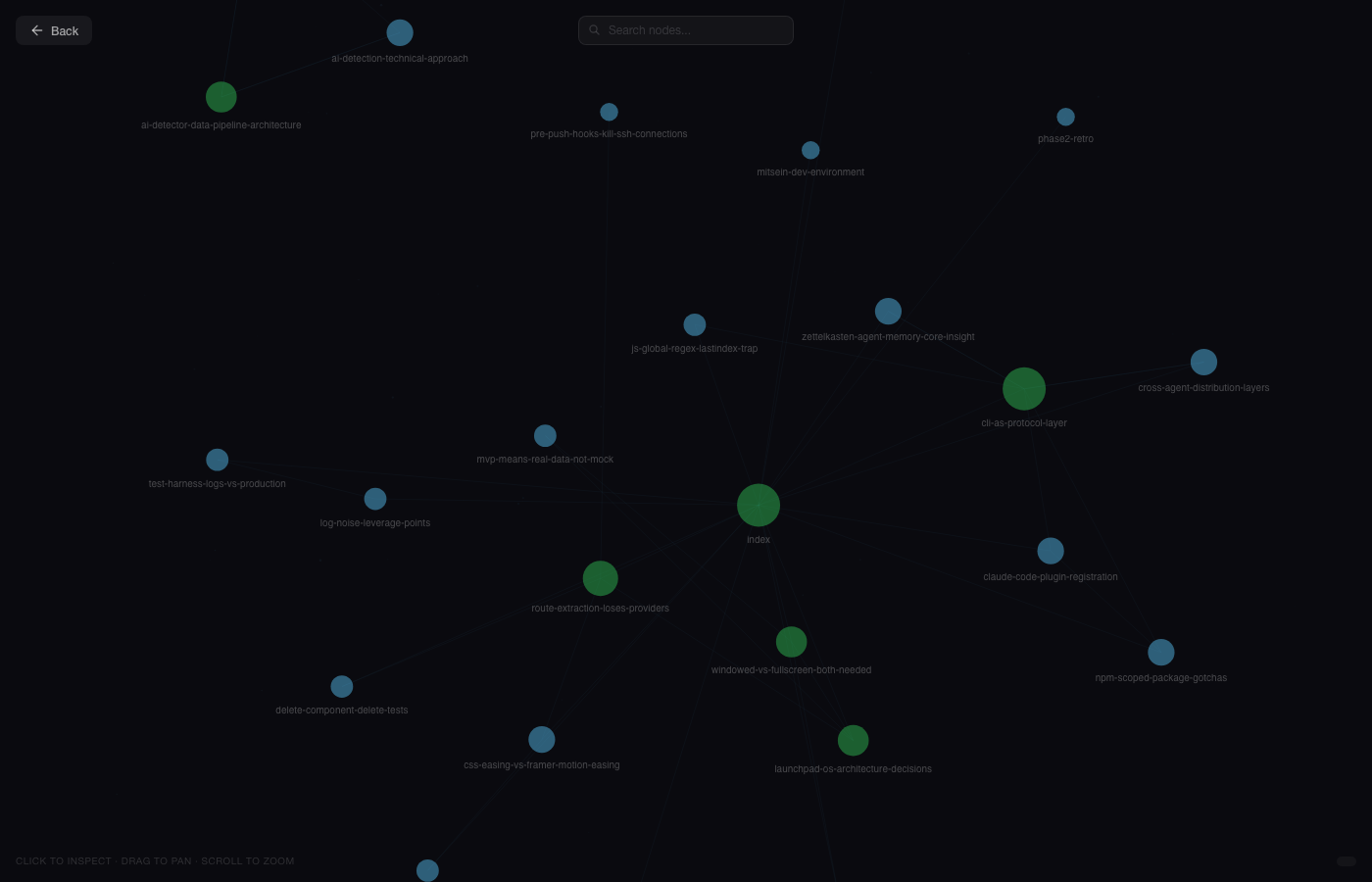
Opens a visual timeline of all your cards at localhost:3939. Includes a graph view to explore bidirectional links.
If you've set up sync, memex serve opens memra.vercel.app — a web UI with Timeline, Graph view, and Share card.
CLI referenc
... View full README on GitHub


