MCP server enabling AI assistants to build, test, and debug Zotero plugins
{
"mcpServers": {
"io-github-introfini-mcp-server-zotero-dev": {
"command": "<see-readme>",
"args": []
}
}
}No install config available. Check the server's README for setup instructions.
Are you the author?
Add this badge to your README to show your security score and help users find safe servers.
MCP server enabling AI assistants to build, test, and debug Zotero plugins
Is it safe?
No package registry to scan.
No authentication — any process on your machine can connect.
License not specified.
Is it maintained?
Commit history unknown.
Will it work with my client?
Transport: stdio. Works with Claude Desktop, Cursor, Claude Code, and most MCP clients.
No automated test available for this server. Check the GitHub README for setup instructions.
No known vulnerabilities.
This server is missing a description. Tools and install config are also missing.If you've used it, help the community.
Add informationHave you used this server?
Share your experience — it helps other developers decide.
Sign in to write a review.
Dynamic problem-solving through sequential thought chains
A Model Context Protocol server for searching and analyzing arXiv papers
An open-source AI agent that brings the power of Gemini directly into your terminal.
The official Python SDK for Model Context Protocol servers and clients
MCP Security Weekly
Get CVE alerts and security updates for io.github.introfini/mcp-server-zotero-dev and similar servers.
Start a conversation
Ask a question, share a tip, or report an issue.
Sign in to join the discussion.
Give your AI assistant superpowers for Zotero plugin development
Architecture · Getting Started · Available Tools
A Model Context Protocol (MCP) server that enables AI assistants like Claude, Cursor, and Windsurf to build, test, and debug Zotero 7/8 plugins. Screenshots, DOM state, debug logs, and JavaScript execution give the AI rich context to understand what's happening—and tools to help you fix it.
| Category | Capabilities | |----------|-------------| | 🎯 UI Inspection | Screenshots, DOM tree, element finding, computed styles | | 💻 JS Execution | Run code in Zotero context, inspect APIs, test snippets | | 🔧 Build Tools | Scaffold integration for build, serve, hot reload | | 📋 Logs & Errors | Stream debug output, error console, watch for issues | | 🗃️ Database | Read-only access to zotero.sqlite for debugging | | 🔌 Plugin Management | Install, reload, list plugins |
Use install-mcp to add the server to your AI assistant:
npx -y install-mcp @introfini/mcp-server-zotero-dev --client claude-code
Supported clients: claude-code, cursor, windsurf, vscode, cline, roo-cline, claude, zed, goose, warp, codex
npx -y install-mcp @introfini/mcp-server-zotero-dev --client claude-code
npx -y install-mcp @introfini/mcp-server-zotero-dev --client cursor
npx -y install-mcp @introfini/mcp-server-zotero-dev --client vscode
npx -y install-mcp @introfini/mcp-server-zotero-dev --client windsurf
Add to your MCP client config:
{
"mcpServers": {
"zotero-dev": {
"command": "npx",
"args": ["-y", "@introfini/mcp-server-zotero-dev"],
"env": {
"ZOTERO_RDP_PORT": "6100"
}
}
}
}
Restart your AI assistant after adding the configuration.
Download zotero-mcp-bridge.xpi and install:
.xpi fileThis lightweight plugin enables the Remote Debugging Protocol when Zotero starts. It only needs to be installed once and works on all Zotero 7+ builds (release, beta, and dev).
Just open Zotero normally and ask your AI assistant:
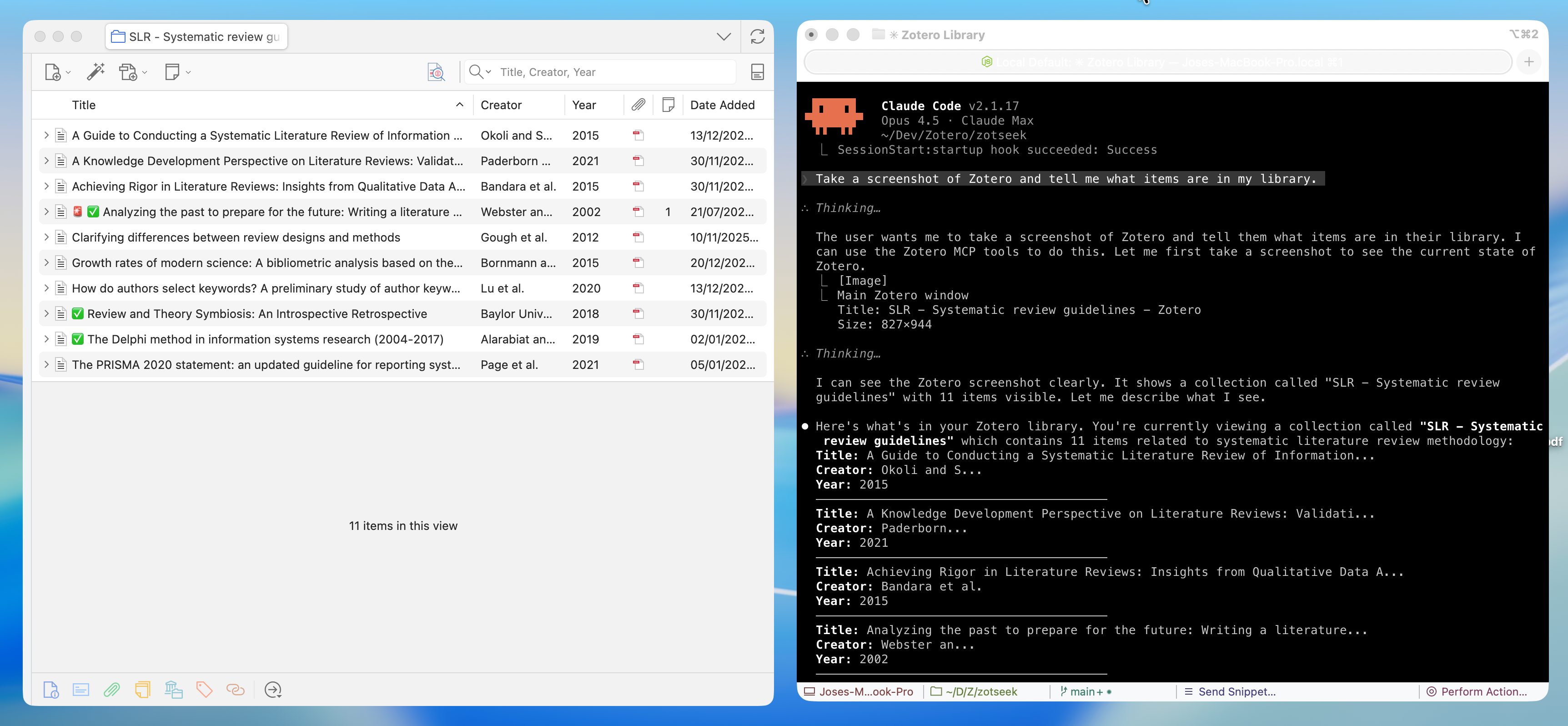
"Take a screenshot of Zotero and list installed plugins"
That's it! No special launch flags, no configuration. 🎉
| Tool | Description |
|------|-------------|
| zotero_screenshot | Capture window, element, or region screenshots |
| zotero_inspect_element | Find elements by CSS selector |
| zotero_get_dom_tree | Get DOM stru