MCP GUI Server
English | 简体中文
A modern Model Context Protocol (MCP) server that provides elegant graphical user interface interaction capabilities with Interactive Feedback style, terminal support, and advanced prompt engineering features.




Preview
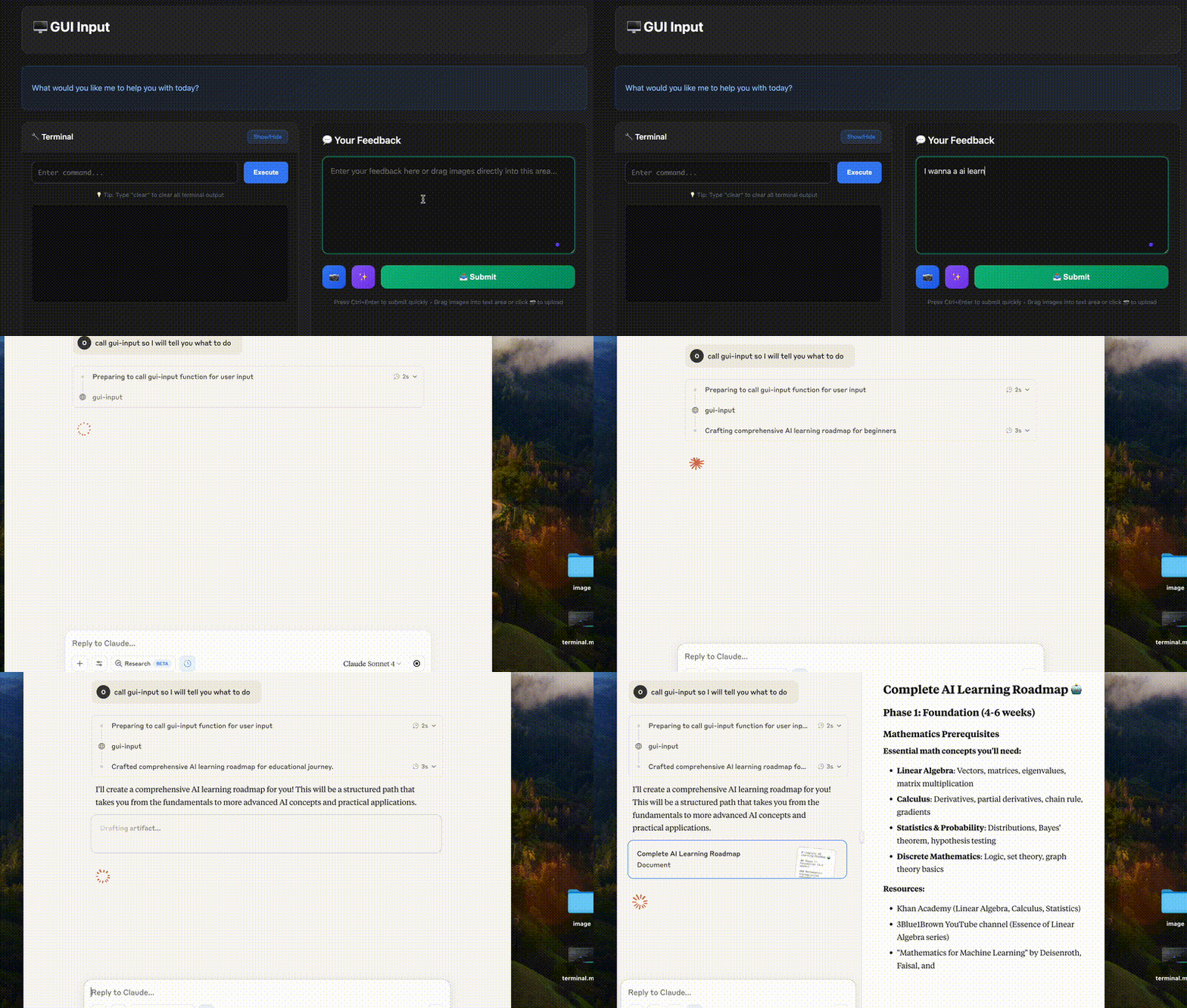 MCP for cost cut of request based ai services
🚀 Quick Start
Option 1: NPX (Recommended for Testing)
Test the server instantly without installation:
npx mcp-gui-server
Option 2: Install from Source
For development or customization:
# Clone the repository
git clone https://github.com/oqwn/mcp-gui-server.git
cd mcp-gui-server

# Install dependencies
pnpm install

# Build the project
pnpm run build

# Start the server
pnpm start
Prerequisites
- Node.js 18+
- pnpm 8+ (recommended package manager)
Install pnpm if you haven't already:
npm install -g pnpm
💼 MCP Client Integration
Step 1: Configure Your MCP Client
Add the following configuration to your MCP client (Claude Desktop, Cursor, Windsurf, etc.), Remember add the model only if you would like a ai model to enhance prompt:
Using NPX (Recommended)
{
  "mcpServers": {
    "mcp-gui-server": {
      "command": "npx",
      "args": ["-y", "mcp-gui-server"],
      "env": {
        "OPENROUTER_API_KEY": "YOUR API KEY",
        "OPENROUTER_BASE_URL": "https://openrouter.ai/api/v1",
        "OPENROUTER_MODEL": "MODEL YOUR SELECTED"
      }
    }
  }
}
Using Local Installation
before using below mcp configuration you should get this repositiry and run
pnpm run build
{
  "mcpServers": {
    "gui-server": {
      "command": "node",
      "args": ["/path/to/dist/server.js", "--stdio"],
      "env": {
        "OPENROUTER_API_KEY": "YOUR API KEY",
        "OPENROUTER_BASE_URL": "https://openrouter.ai/api/v1",
        "OPENROUTER_MODEL": "MODEL YOU SELECTED"
      }
    }
  }
}
Step 2: Restart Your MCP Client
After configuration, restart your MCP client to load the server.
Step 3: Test the Integration
In your AI assistant, the gui-input tool should now be available. Test it by asking:
"Please collect some user input via the GUI"
🛠️ Development & Testing
HTTP Mode (Development)
For local development and testing:
pnpm run dev
Server will start on http://localhost:3501 with hot reload.
✨ Features
🎯 Core Capabilities
- 🖥️ Interactive GUI: Beautiful, modern web interface for user input
- 📷 Image Upload Support: Drag & drop or click to upload images (JPG, PNG, GIF, WebP, max 10MB each)
- 💻 Terminal Integration: Execute commands with persistent shell sessions
- 🔄 Real-time Feedback: Interactive workflow with user collaboration
- 🛡️ Session Management: Secure, auto-expiring sessions with cleanup
- 📱 Responsive Design: Works seamlessly on desktop and mobile
- 🎨 Syntax Highlighting: Professional code block rendering
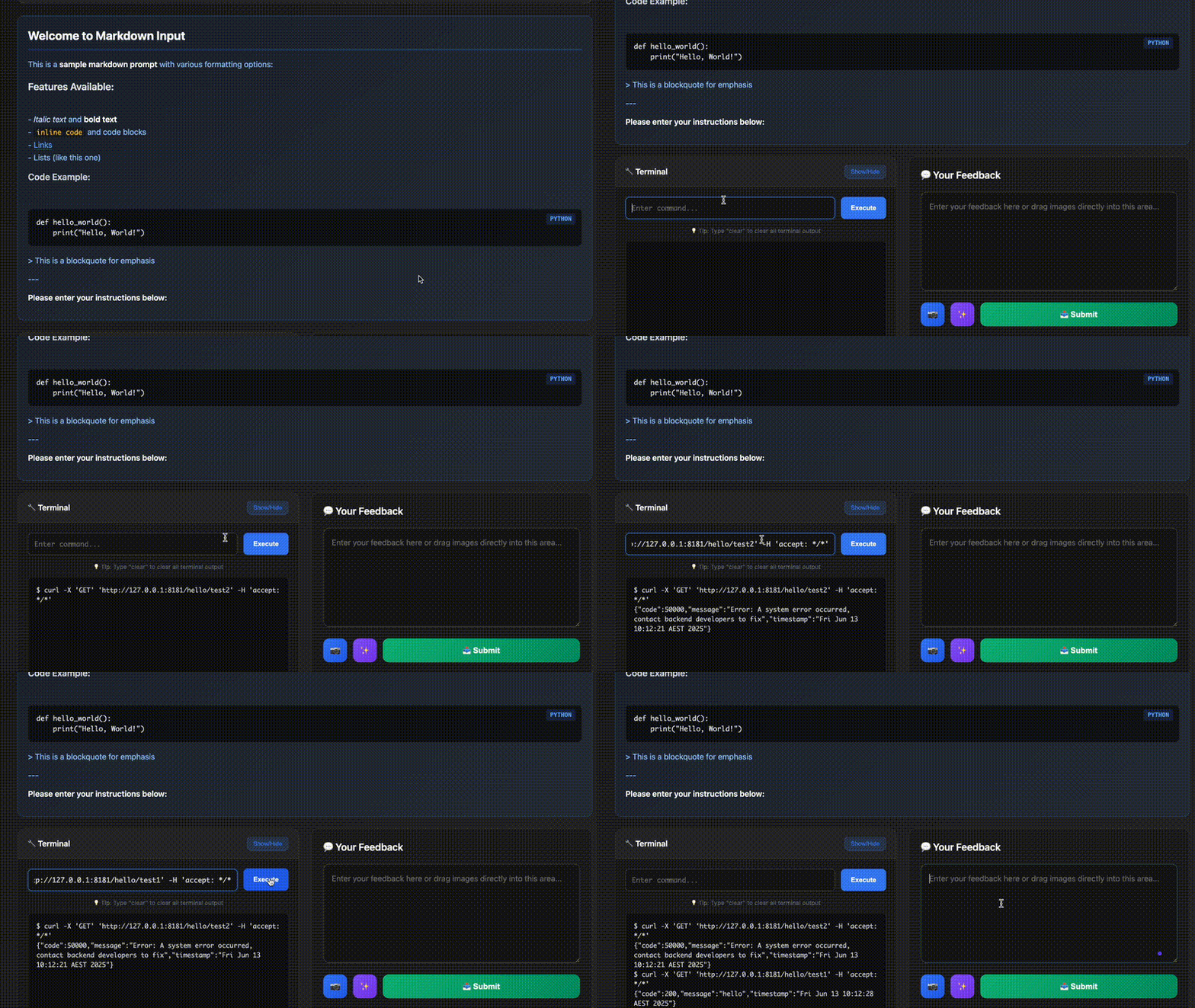 Interactive terminal with persistent shell sessions and command execution
🚀 Advanced Features
- 🧠 Prompt Engineering: Built-in AI-powered prompt enhancement
- 🔌 13+ LLM Providers: OpenAI, Anthropic, Groq, Ollama, and more
- 🌍 Multi-language Support: Maintains language consistency
- ⚡ Hot Reloading: Edit prompts without server restart
- 📊 Error Handling: Robust fallbacks and logging
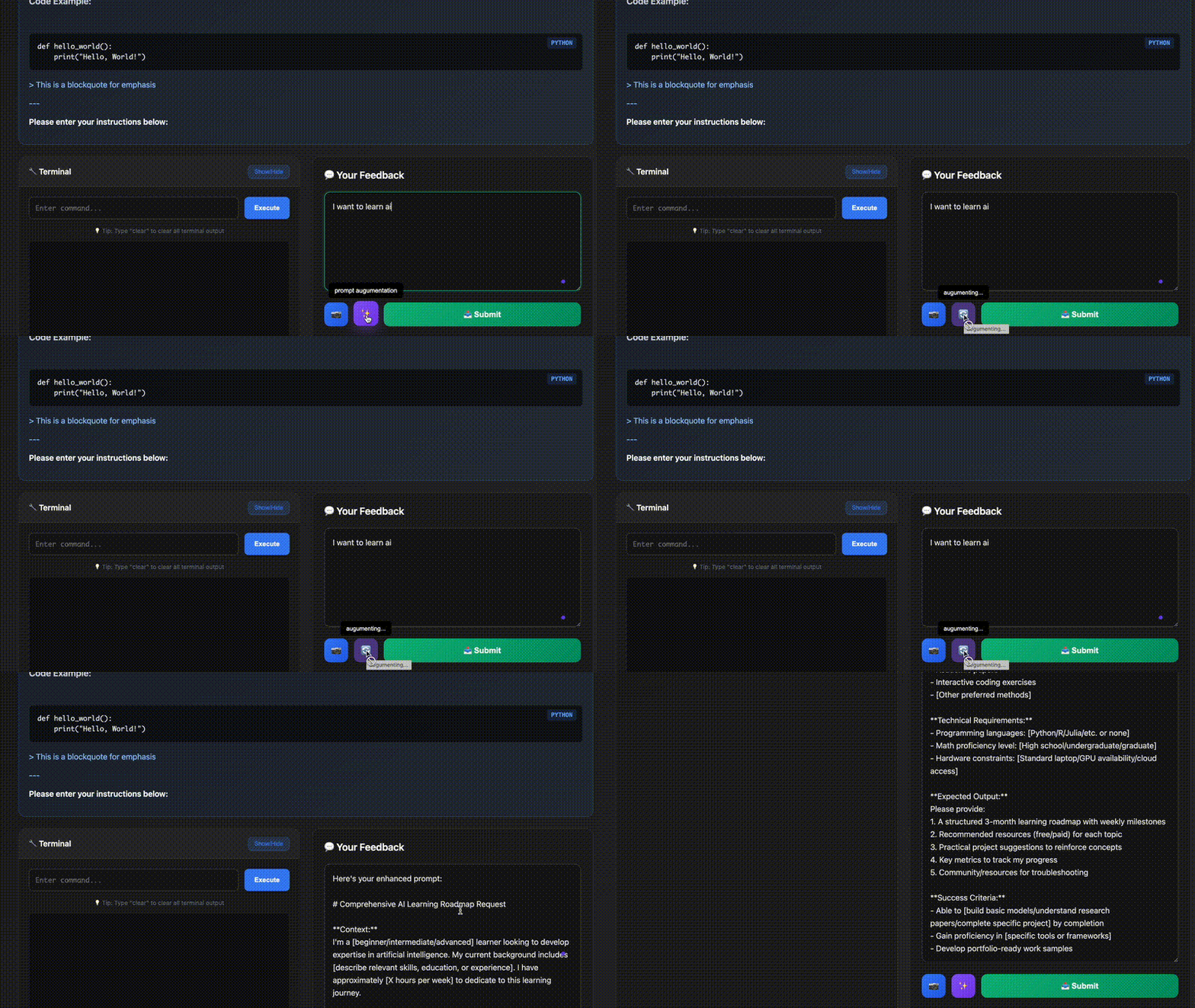 AI-powered prompt enhancement with multiple LLM providers
📷 Image Upload Features
- 🎯 Intuitive Interface: Upload button integrated with enhance and submit buttons
- 🖱️ Drag & Drop: Drop images directly
... View full README on GitHub


