Mcp Kubernetes
Officialby Azure
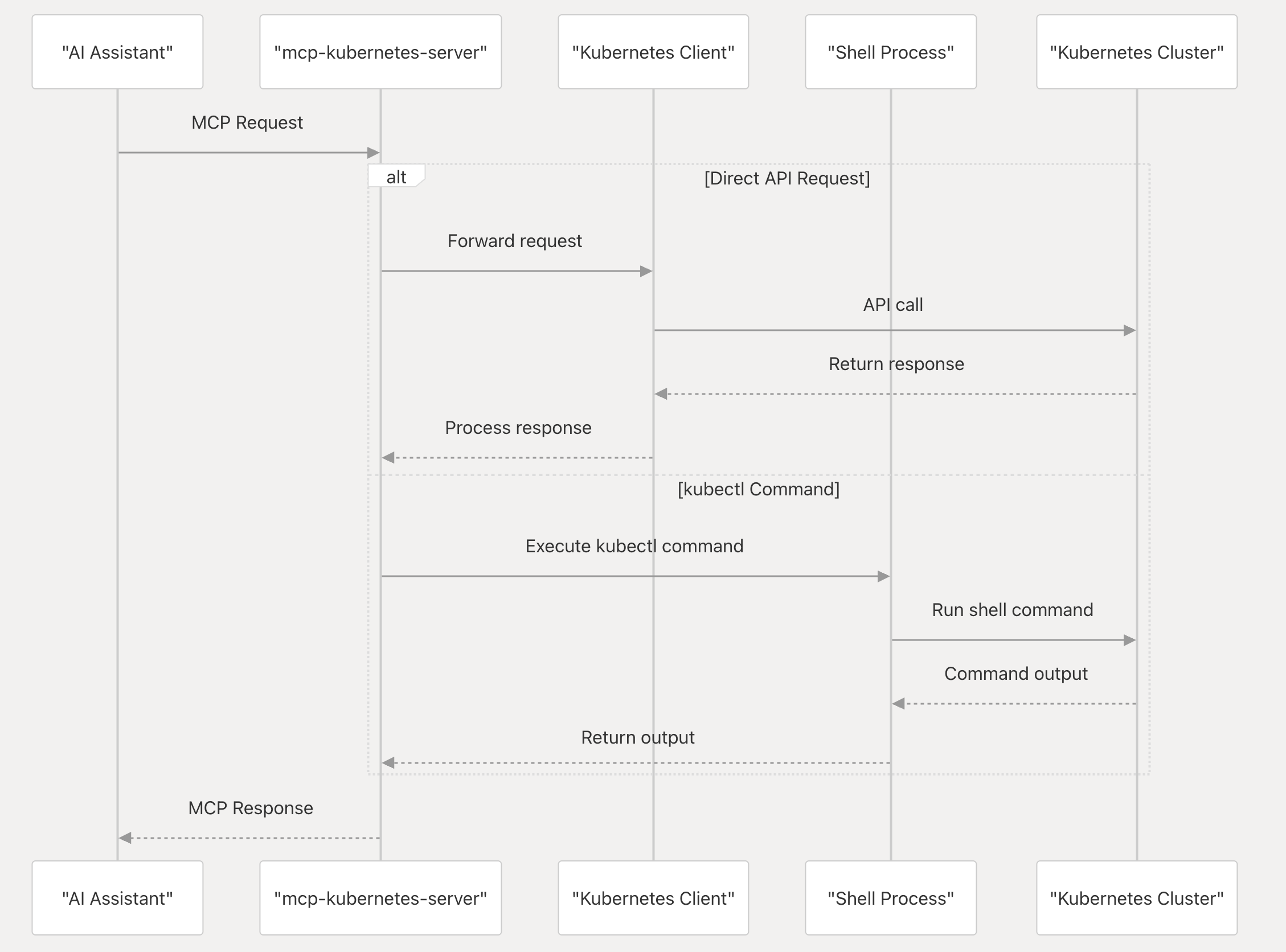
A Model Context Protocol (MCP) server that enables AI assistants to interact with Kubernetes clusters. It serves as a bridge between AI tools (like Claude, Cursor, and GitHub Copilot) and Kubernetes
No known CVEs
MIT license
Actively maintained
Last commit 3d ago
Works with most clients
Transport: stdio, sse, http
3 tools · ~447 tok
Grade A · 0.2% of 200K ctx
Step 1
Install in your client
Config is the same across clients — only the file and path differ.
CD
Supported in Claude Desktopstdio, sse, http · Node 18+
Paste into ~/Library/Application Support/Claude/claude_desktop_config.json
{
  "mcpServers": {
    "kubernetes": {
      "args": [
        "run",
        "-i",
        "--rm",
        "--mount",
        "type=bind,src=/home/username/.kube/config,dst=/home/mcp/.kube/config",
        "ghcr.io/azure/mcp-kubernetes"
      ],
      "command": "docker"
    }
  }
}
Are you the author?
Add this badge to your README to show your security score and help users find safe servers.
Embed in your READMEAbout badges →
[](https://mcppedia.org/s/mcp-kubernetes)
Read me
What Mcp Kubernetes does
The mcp-kubernetes is a Model Context Protocol (MCP) server that enables AI assistants to interact with Kubernetes clusters. It serves as a bridge between AI tools (like Claude, Cursor, and GitHub Copilot) and Kubernetes, translating natural language requests into Kubernetes operations and returning the results in a format the AI tools can understand.
Test This Server
No automated test available for this server. Check the GitHub README for setup instructions.
Loading README…
Scored, not listed
Why this score
Five weighted categories — click any category to see the underlying evidence.
Score breakdown
69/100across 5 weighted dimensions
0255075100
11
13
20
15
10
−31
Security
Maintenance
Efficiency
Documentation
Compatibility
Categoriesclick a row to see evidence
Security
OSV.devNo known CVEs.
No package registry to scan.
Inventory
Tools (3)
Click any tool to inspect its schema.
~447 tokens total
Community
Reviews
Be the first to review
Have you used this server?
Share your experience — it helps other developers decide.
How easy was setup?Did it work reliably?How was the documentation?
Sign in to write a review.
Frequently Asked Questions
- Is Mcp Kubernetes safe to use?
- Mcp Kubernetes has no known CVEs as of the latest MCPpedia security scan. It does not require authentication, so any local process can connect — keep this in mind in shared environments. Licensed under MIT.
- How do I install Mcp Kubernetes?
- Mcp Kubernetes supports copy-paste install configs on its MCPpedia page for Claude Desktop, Cursor, and Claude Code. Scroll to the Quick Install section and select your client.
- What can Mcp Kubernetes do?
- Mcp Kubernetes provides 3 tools: call_kubectl, kubectl_resources, kubectl_workloads. See the full tools list on the server page for descriptions and parameters.
- What AI clients work with Mcp Kubernetes?
- Mcp Kubernetes is compatible with claude-desktop, cursor, claude-code. It uses stdio and sse and http transport.
- Is Mcp Kubernetes actively maintained?
- Mcp Kubernetes is actively maintained — last commit was 3 days ago. It has 57 GitHub stars.
Related
Similar servers
Others in devops
G
Mcp Gitlab96MCP server for using the GitLab API
1.6k 12
 Mcp Gitlab Server92
Enhanced MCP server for GitLab: group projects listing and activity tracking
51 2
 Alibabacloud Devops Mcp Server92
Yunxiao MCP Server provides AI assistants with the ability to interact with the Yunxiao platform. It provides a set of tools that interact with Yunxiao's API, allowing AI assistants to manage Codeup repository, Project, Pipeline, Packages etc.
116 7
K
Komodo MCP Server91MCP server for Komodo - manage Docker containers, servers, stacks, and deployments via AI
7 11
MCP Security Weekly
Get CVE alerts and security updates for Mcp Kubernetes and similar servers.
Community
Discussion
Start a conversation
Ask a question, share a tip, or report an issue.
Has anyone used this with Cursor?How do you handle auth?Any alternatives?
Sign in to join the discussion.