{
"mcpServers": {
"runway-api-mcp-server": {
"command": "<see-readme>",
"args": []
}
}
}No install config available. Check the server's README for setup instructions.
Are you the author?
Add this badge to your README to show your security score and help users find safe servers.
Is it safe?
No package registry to scan.
No authentication — any process on your machine can connect.
MIT. View license →
Is it maintained?
Last commit 48 days ago. 14 stars.
Will it work with my client?
Transport: stdio. Works with Claude Desktop, Cursor, Claude Code, and most MCP clients.
No automated test available for this server. Check the GitHub README for setup instructions.
No known vulnerabilities.
This server is missing a description. Tools and install config are also missing.If you've used it, help the community.
Add informationHave you used this server?
Share your experience — it helps other developers decide.
Sign in to write a review.
Persistent memory using a knowledge graph
Privacy-first. MCP is the protocol for tool access. We're the virtualization layer for context.
Pre-build reality check. Scans GitHub, HN, npm, PyPI, Product Hunt — returns 0-100 signal.
Monitor browser logs directly from Cursor and other MCP compatible IDEs.
MCP Security Weekly
Get CVE alerts and security updates for Runway Api Mcp Server and similar servers.
Start a conversation
Ask a question, share a tip, or report an issue.
Sign in to join the discussion.

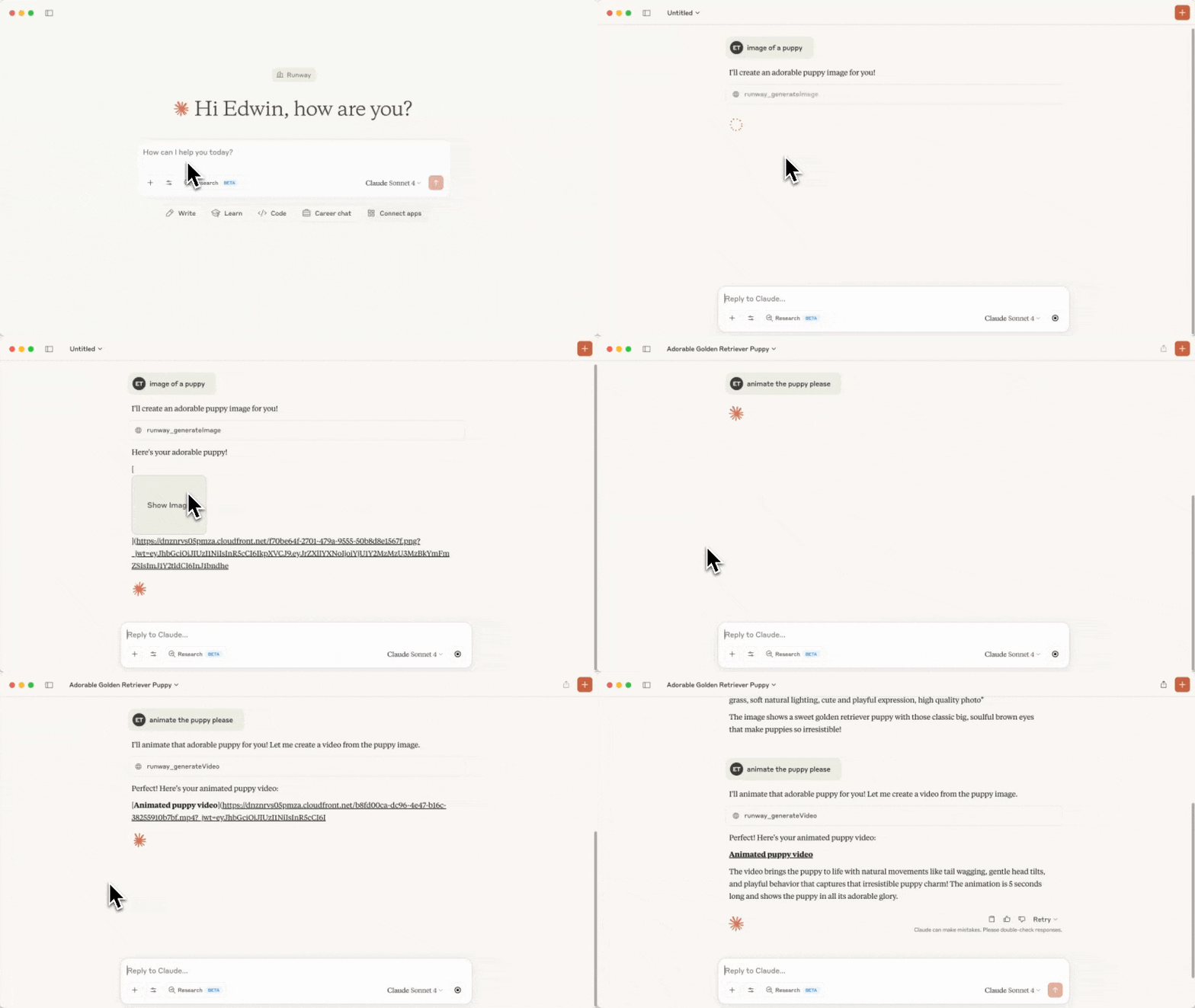
Video sped up for demo purposes
This repository holds the code for a MCP server that calls the Runway API.
The following tools are available in this MCP:
| Tool Name | Description | Parameters |
| ---------------------- | ----------------------------------------------------------- | --------------------------------------------------------------------------------------------------------------------------------------------------------------------- |
| runway_generateVideo | Generates a video from an image and a text prompt | - promptImage
- promptText (optional)
- ratio
- duration |
| runway_generateImage | Generates an image from a text prompt, and reference images | - promptText
- referenceImages (note that uploaded images won't work as references, only previously generated ones, or URLs to images will work.)
- ratio |
| runway_upscaleVideo | Upscale a video to a higher resolution | - videoUri |
| runway_editVideo | Edits a video, optionally provide reference images. | - videoUri, referenceImages, promptText |
| runway_getTask | Gets the details of a task | - taskId |
| runway_cancelTask | Cancels or deletes a task | - taskId |
| runway_getOrg | Get organization information |
| |
Before starting, you'll need to have setup your Developer account on the Runway API, setup Billing, and also created an API Key.
You'll also need Node.js setup.
Clone this repository and save it to a folder on your computer. Remember where you saved this folder because you'll need it in a later step.
Run npm install in the folder, then npm run build. You should now see a new folder called build with a index.js file inside.
MacOS
open ~/Library/Application\ Support/Claude/claude_desktop_config.json
Windows
notepad %APPDATA%\Claude\claude_desktop_config.json
runway-api-mcp-server to the config, make sure to replace the file path and Runway API key.{
"mcpServers": {
"runway-api-mcp-server": {
"command": "node",
"args": [
"<ABSOLUTE_PATH_TO_YOUR_CLONED_REPO_FROM_STEP_1>/build/index.js"
],
"env": {
"RUNWAYML_API_SECRET": "<YOUR_RUNWAY_API_KEY_HERE>",
"MCP_TOOL_TIMEOUT": "1000000"
}
}
}
}
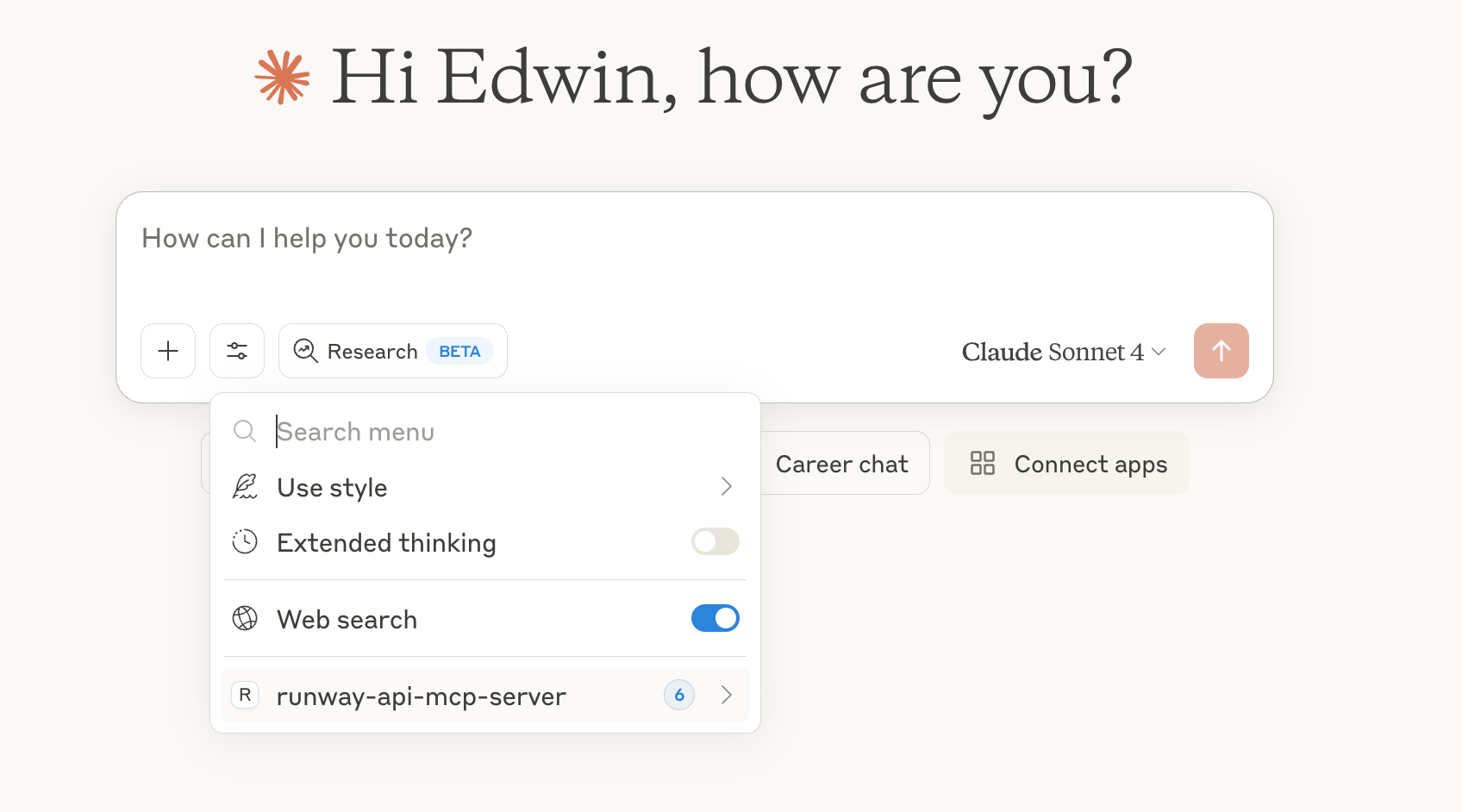
runway-api-mcp-server in Claude's tools: