Trading Skills — AI-Powered Market Analysis
Most retail traders juggle 5+ tabs — broker, charting platform, screener, news feed, spreadsheet — just to decide whether to enter a trade. This project collapses all of that into a single conversational interface powered by Claude.
Ask a question in plain English, get back real data: technicals, fundamentals, option Greeks, risk metrics, earnings dates, correlation matrices, and full PDF reports. Connect your Interactive Brokers account and it manages your portfolio too — finds roll candidates for expiring shorts, flags earnings risk, and generates action reports.
Who is this for?
- Retail options traders who sell premium, run PMCCs, or manage covered calls
- Self-directed investors who want quick fundamental + technical scans without switching tools
- Python-literate traders who want to extend the analysis with custom scripts
- IBRK users who want AI-assisted portfolio management
Quick example — scan for bullish setups and check PMCC viability:
You: Scan AAPL,MSFT,NVDA,GOOGL,AMZN for bullish trends, then check the top picks for PMCC suitability

Claude: [runs scanner-bullish → filters top scores → runs scanner-pmcc]
        NVDA: Bullish score 8/10, PMCC score 9.2/11 — LEAPS $95 call (Δ0.82),
        sell $140 call (Δ0.18), net debit $5,420, annual yield 47%...
Another example — correlation check before adding to a portfolio:
You: Show correlation for SPY,GOOG,NVDA,ZM,RTX,PFE,XOM

Claude: NVDA is the standout diversifier — near-zero correlation with everything.
        RTX/XOM at 0.86 — little diversification benefit between them.
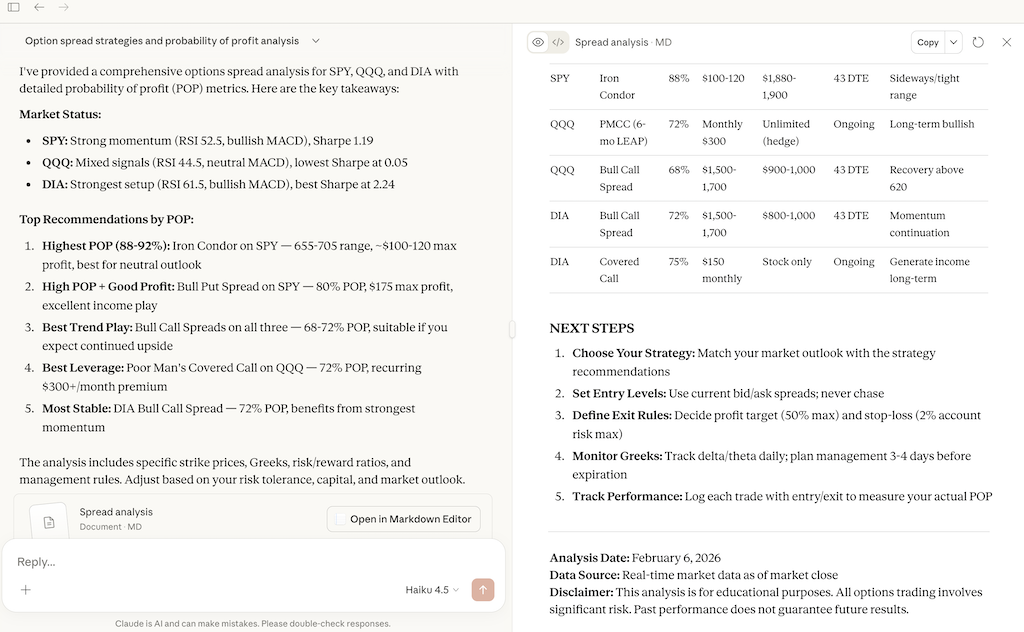
Real sessions in Claude Desktop (free account)
"Analyze option spread strategies and probability of profit for SPY, QQQ and DIA"
Requirements
- Python 3.12+
- uv package manager
- Claude Code, Claude Desktop, or Cursor with third-party skills enabled (fully installed and authenticated)
- Optional: TWS or IB Gateway for portfolio features
Two Ways to Use
Claude Code / Cursor (Full Experience)
Installation
git clone https://github.com/staskh/trading_skills.git
cd trading_skills
uv sync
Run Claude Code or Cursor in the repository root. All skills are available as interactive commands — ask questions about your IBKR portfolio, symbols, or companies of interest.
MCP Server (Claude Desktop)
The MCP server is a lightweight alternative for use with Claude Desktop (including the free tier). It exposes 23 trading analysis tools directly to Claude Desktop without needing Claude Code.
Installation
-
Install the package (requires Python 3.12+):
pip install trading-skills
-
Find the full path to the installed command:
macOS / Linux:
which trading-skills-mcp
Windows:
where trading-skills-mcp
If where doesn't find it, locate it manually:
python -c "import sysconfig; print(sysconfig.get_path('scripts'))"
The script will be trading-skills-mcp.exe in that directory (typically at C:\Users\<YourUsername>\AppData\Local\Programs\Python\Python<Version>\Scripts\)
-
Open Claude Desktop, go to Settings → Developer → Edit Config:
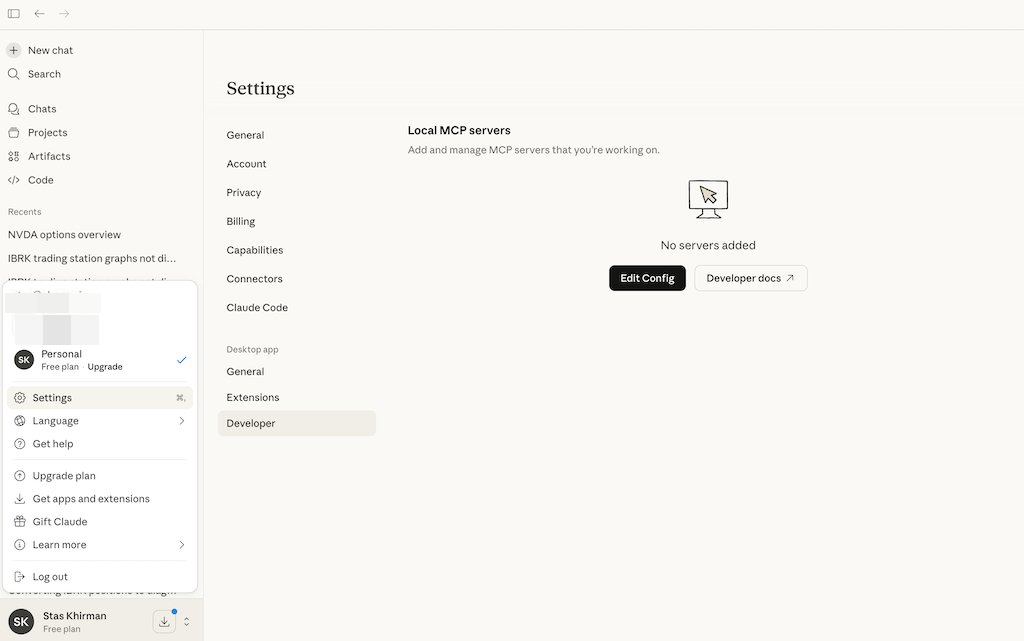
Add the following to claude_desktop_config.json:
macOS / Linux:
{
  "mcpServers": {
    "trading-skills": {
      "command": "/full/path/to/trading-skills-mcp"
    }
  }
}
Windows:
{
  "mcpServers": {
    "trading-skills": {
      "command": "C:\\full\\path\\to\\trading-skills-mcp.exe"
    }
... View full README on GitHub
