Vision Claude allows users to connect phone or meta ray bans to claude cowork and chat via MCP server hosted locally.
{
"mcpServers": {
"visionclaude": {
"command": "<see-readme>",
"args": []
}
}
}No install config available. Check the server's README for setup instructions.
Are you the author?
Add this badge to your README to show your security score and help users find safe servers.
Vision Claude allows users to connect phone or meta ray bans to claude cowork and chat via MCP server hosted locally.
Is it safe?
No package registry to scan.
No authentication — any process on your machine can connect.
MIT. View license →
Is it maintained?
Last commit 16 days ago. 6 stars.
Will it work with my client?
Transport: stdio. Works with Claude Desktop, Cursor, Claude Code, and most MCP clients.
No automated test available for this server. Check the GitHub README for setup instructions.
No known vulnerabilities.
This server is missing a description. Tools and install config are also missing.If you've used it, help the community.
Add informationHave you used this server?
Share your experience — it helps other developers decide.
Sign in to write a review.
Dynamic problem-solving through sequential thought chains
A Model Context Protocol server for searching and analyzing arXiv papers
An open-source AI agent that brings the power of Gemini directly into your terminal.
The official Python SDK for Model Context Protocol servers and clients
MCP Security Weekly
Get CVE alerts and security updates for Visionclaude and similar servers.
Start a conversation
Ask a question, share a tip, or report an issue.
Sign in to join the discussion.
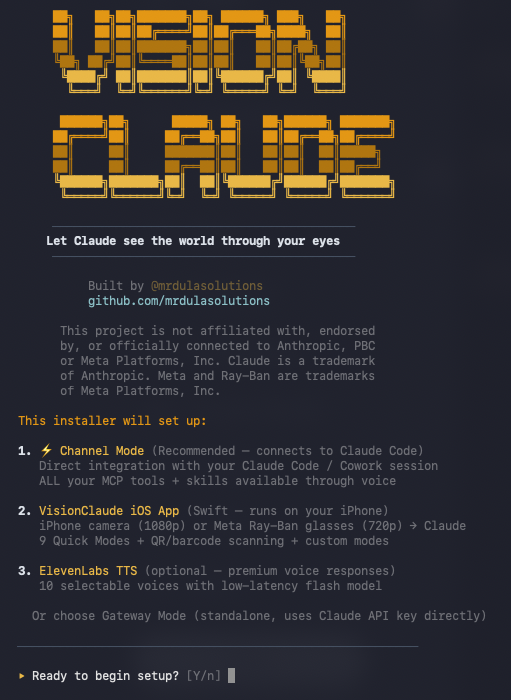
██╗ ██╗██╗███████╗██╗ ██████╗ ███╗ ██╗ ██║ ██║██║██╔════╝██║██╔═══██╗████╗ ██║ ██║ ██║██║███████╗██║██║ ██║██╔██╗ ██║ ╚██╗ ██╔╝██║╚════██║██║██║ ██║██║╚██╗██║ ╚████╔╝ ██║███████║██║╚██████╔╝██║ ╚████║ ╚═══╝ ╚═╝╚══════╝╚═╝ ╚═════╝ ╚═╝ ╚═══╝██████╗██╗ █████╗ ██╗ ██╗██████╗ ███████╗ ██╔════╝██║ ██╔══██╗██║ ██║██╔══██╗██╔════╝ ██║ ██║ ███████║██║ ██║██║ ██║█████╗ ██║ ██║ ██╔══██║██║ ██║██║ ██║██╔══╝ ╚██████╗███████╗██║ ██║╚██████╔╝██████╔╝███████╗ ╚═════╝╚══════╝╚═╝ ╚═╝ ╚═════╝ ╚═════╝ ╚══════╝
Let Claude see the world through your eyes
Built by @mrdulasolutions
VisionClaude turns your iPhone or Meta Ray-Ban Smart Glasses into Claude's eyes and ears. Your phone connects directly to your Claude Code session — speak naturally, and Claude sees what you see, responds with voice, and uses ALL your MCP tools and skills.
iPhone/Glasses ──→ Channel Plugin ──→ Claude Code (Opus)
(camera+voice) (WebSocket) ALL your MCP tools
ALL your skills
Full Cowork session
| Requirement | How to Get It |
|---|---|
| macOS 13+ | You probably have this |
| Node.js 18+ | brew install node |
| Bun | curl -fsSL https://bun.sh/install \| bash |
| Xcode 15+ | Mac App Store |
| iPhone (iOS 17+) | Physical device, USB cable |
| Claude Code CLI | npm install -g @anthropic-ai/claude-code |
git clone https://github.com/mrdulasolutions/visionclaude.git
cd visionclaude/ClaudeVision
./setup.sh
The interactive installer handles dependencies, API keys, and Xcode project generation:
Add VisionClaude as an MCP server in your project's .mcp.json:
{
"mcpServers": {
"visionclaude": {
"command": "bun",
"args": ["run", "/path/to/visionclaude/ClaudeVision/channel/server.ts"]
}
}
}
Then launch Claude Code with the channel enabled:
claude --dangerously-load-development-channels "server:visionclaude"
Open the dashboard in your browser:
http://localhost:18790
You'll see your Channel Token, your Mac's IP address, and copy buttons for both. The dashboard also lets you send messages to your phone, configure ElevenLabs TTS, and monitor activity.
Open the VisionClaude app on your iPhone, go to Settings, and enter:
| Setting | Value |
|---|---|
| Host | Your Mac's IP (shown on dashboard) |
| Port | 18790 |
| Channel Token | Copy from dashboard |
Tap Connect. You should see a green status indicator — you're now talking directly to your Claude Code session.
Point